Hi backdoc94,
We're happy to provide some assistance.
Based on your original post, we recommend the troubleshooting steps via the link below since it sounds like you want to personalize your workout views.
View and edit workout metrics on Apple Watch - Apple Support
To perform the troubleshooting actions recommended by the article above, please read through and complete the steps in the section titled "Personalize workout views."
The workout views you see depend on the kind of workout you’re doing. Cardio-focused workouts have more workout views by default, but you can edit some of them to suit your workout style.
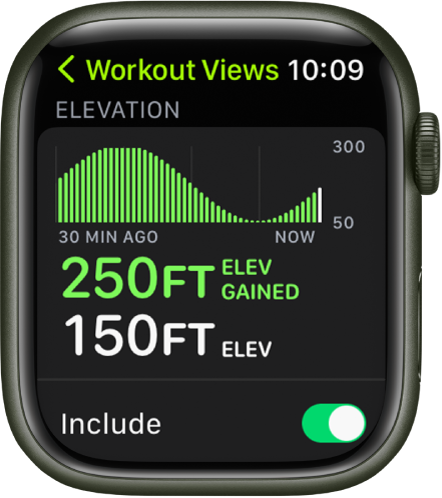
Open the Workout app  on your Apple Watch.
Turn the Digital Crown to the workout you want to do.
Tap  , tap
, tap  in any tile, then tap Workout Views.
Scroll through the workout views, then tap “Include” next to the metrics you want to appear during the workout.
To select the metrics that appear in the first two workout views, tap in the Metric 1 or Metric 2 set, tap a metric, then choose a different metric.
The steps above will help you to personalize your workout views.
If the original problem persists after trying our suggested troubleshooting steps, provide us with specifics on what you see for more help, and we will continue from there.
Thanks for using the Apple Support Communities.
Cheers!

