How do I unsubscribe from instant Cleaner?
How do I unsubscribe from instant Cleaner?
iPhone 12 Pro Max, iOS 16
How do I unsubscribe from instant Cleaner?
iPhone 12 Pro Max, iOS 16
Hey there newton277,
We understand you want to cancel a subscription. We'd be happy to provide information to help you address this.
We see you've already tried the steps meant to address this. Have you tried the steps for when you can't find the subscription you're attempting to cancel?
If you want to cancel a subscription from Apple - Apple Support
Can’t find the subscription that you want to cancel?
You can cancel iCloud+ in your iCloud storage settings.
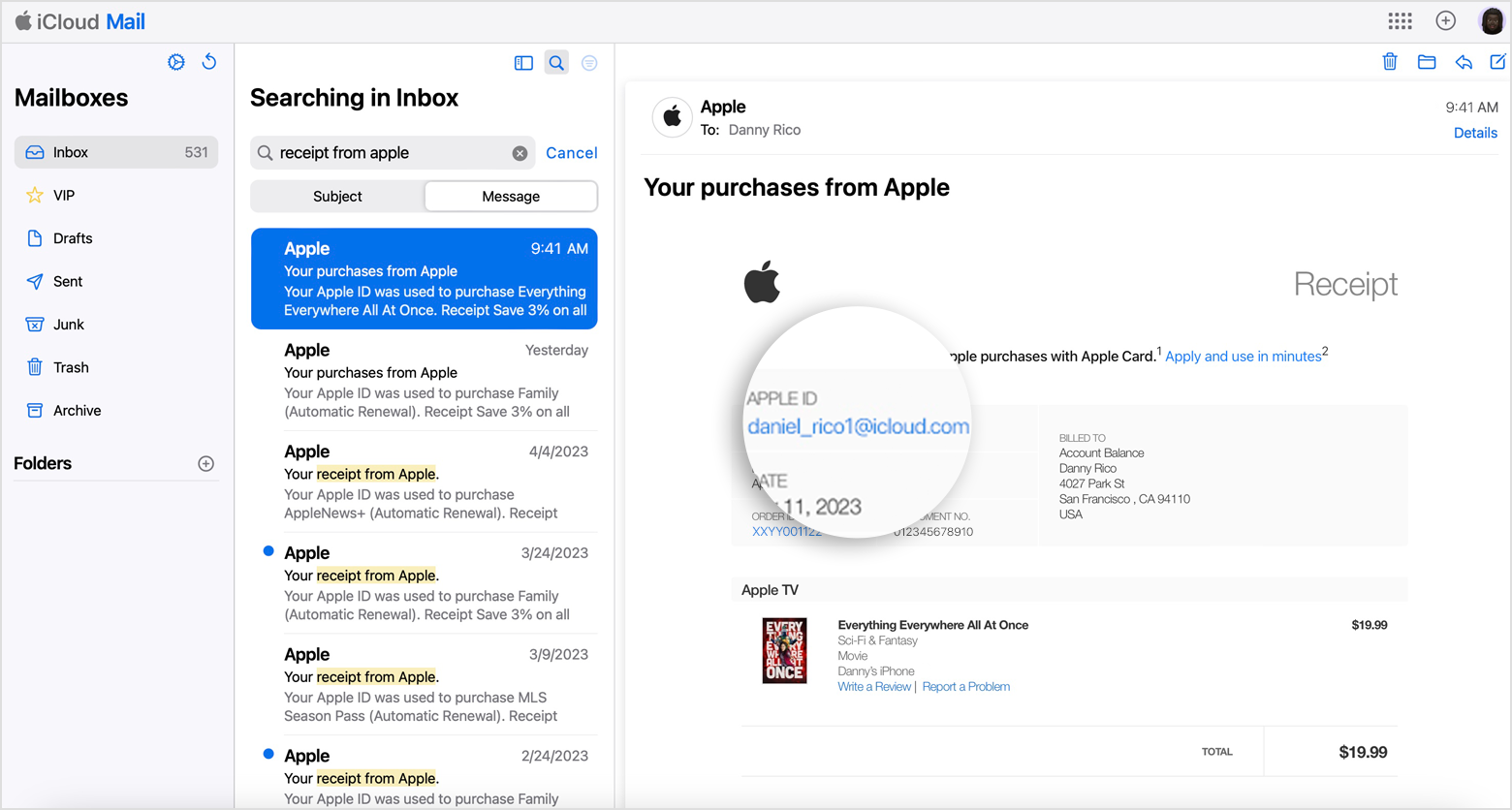
If you aren't trying to cancel iCloud+, find your receipt:
1. Search your email for the words "receipt from Apple."
2. On the receipt for the subscription, check which Apple ID was used.
* If a family member's Apple ID appears on the receipt, ask that family member to use the steps in this article to cancel the subscription. You can’t cancel a family member's subscription.
* If another Apple ID that you use appears on the receipt, sign in with that Apple ID and use the steps in this article to cancel the subscription.
* If you can't find a receipt from Apple for the subscription, you might have bought the subscription from another company. To find out which company bills you, check your bank or credit card statement. To cancel the subscription, you must contact the company that bills you for the subscription.
Kind regards.
Hey there newton277,
We understand you want to cancel a subscription. We'd be happy to provide information to help you address this.
We see you've already tried the steps meant to address this. Have you tried the steps for when you can't find the subscription you're attempting to cancel?
If you want to cancel a subscription from Apple - Apple Support
Can’t find the subscription that you want to cancel?
You can cancel iCloud+ in your iCloud storage settings.
If you aren't trying to cancel iCloud+, find your receipt:
1. Search your email for the words "receipt from Apple."
2. On the receipt for the subscription, check which Apple ID was used.
* If a family member's Apple ID appears on the receipt, ask that family member to use the steps in this article to cancel the subscription. You can’t cancel a family member's subscription.
* If another Apple ID that you use appears on the receipt, sign in with that Apple ID and use the steps in this article to cancel the subscription.
* If you can't find a receipt from Apple for the subscription, you might have bought the subscription from another company. To find out which company bills you, check your bank or credit card statement. To cancel the subscription, you must contact the company that bills you for the subscription.
Kind regards.
How do I unsubscribe from instant Cleaner?