sburech wrote:
Thanks so much for your response. I read the link and I can't find out how to remove the tags, only how to change colors, add a symbol or an emoji. Maybe I am missing something. I just want to have no tags on my colored folder. Thanks again for your help.
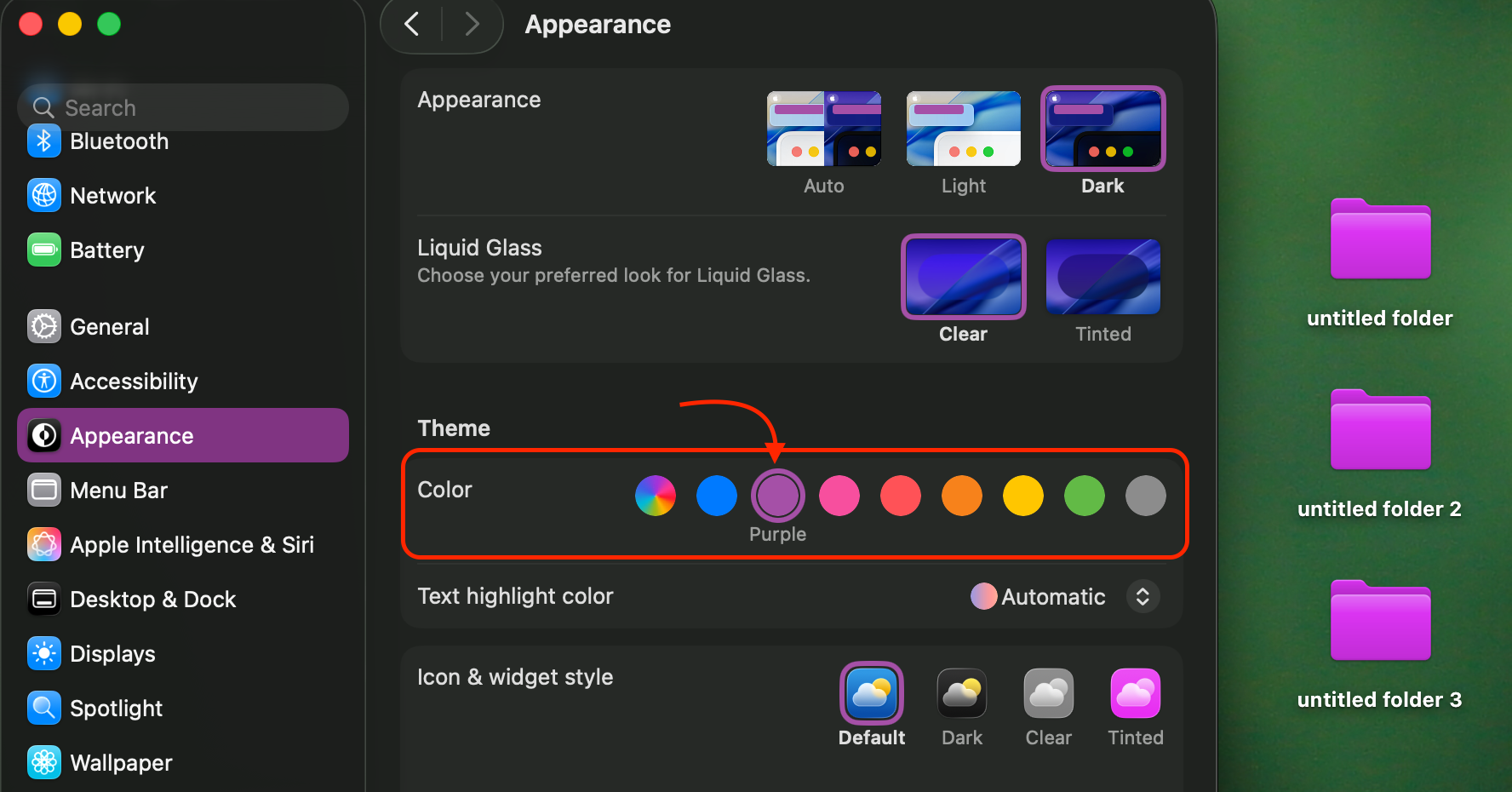
As Barney-15E states, you cannot. The folder is colored because of the tag. There is no other way to set a folder to a specific color (though you can change the color of all folders in System Settings > Appearance).
Note that in Finder settings, you can turn off the setting where folders are given the tag color.
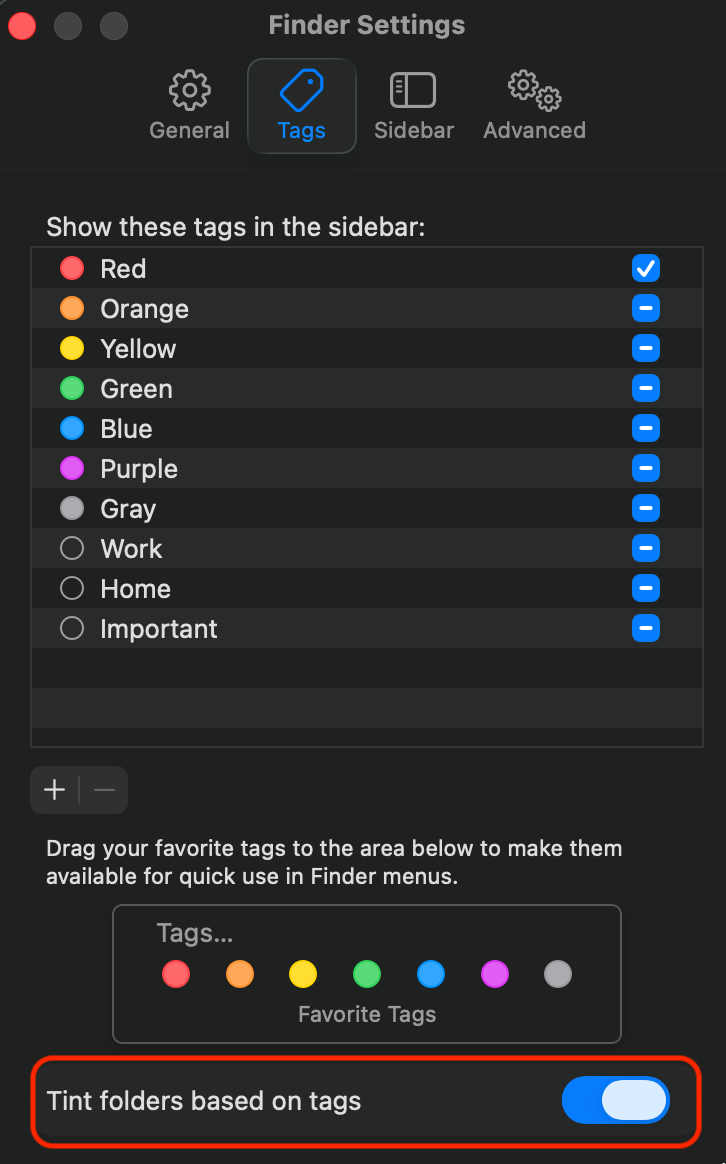
But...the only way to choose a specific folder color is with a tag. That's shown in the Customize Folder option, where you can see it's linked to the set of tags. The tags shown below are the 'Favorite Tags' in the Finder settings screenshot above, and if you remove all of the Favorite Tags, then the option to Customize Folder also disappears.

You're stuck with tags if you want a folder to be a specific color, and only Apple can change that. To have Apple consider your feedback, submit it here:
Feedback - macOS - Apple
If you want all your folders to be purple, as stated above that's in System Settings > Appearance.