Trying to install Sequoia for Dual Boot with Tahoe.

I have a 2019 MacBook Pro running Tahoe. I now want to Dual Boot this with Sequoia. I have created an AFPS container and named it MACOS Sequoia & downloaded Sequoia. When I click on the installer I get a pop up that says. 'This installer cannot be used from the version of macOS you are running'. How do I install it?

MacBook Pro 16″, macOS 26.2

Posted on Dec 17, 2025 11:02 AM

Reply
6 replies

Dec 17, 2025 11:25 AM in response to kenfrompershore

kenfrompershore wrote:

I have a 2019 MacBook Pro running Tahoe. I now want to Dual Boot this with Sequoia. I have created an AFPS container and named it MACOS Sequoia & downloaded Sequoia. When I click on the installer I get a pop up that says. 'This installer cannot be used from the version of macOS you are running'. How do I install it?


Container is basically a Partition ?


I suspect adding a Volume instead of a Container...


Note: you can add a volume within the original container without penalty.

ref: Add, delete, or erase APFS volumes in Disk Utility on Mac


You can create a Bootable USB installer to install the OS there on your newly selected Volume

Create a bootable installer for macOS


when you boot up holding the Option key you can select the start up volume..

or the >System Settings>Startup Disk to choose a default
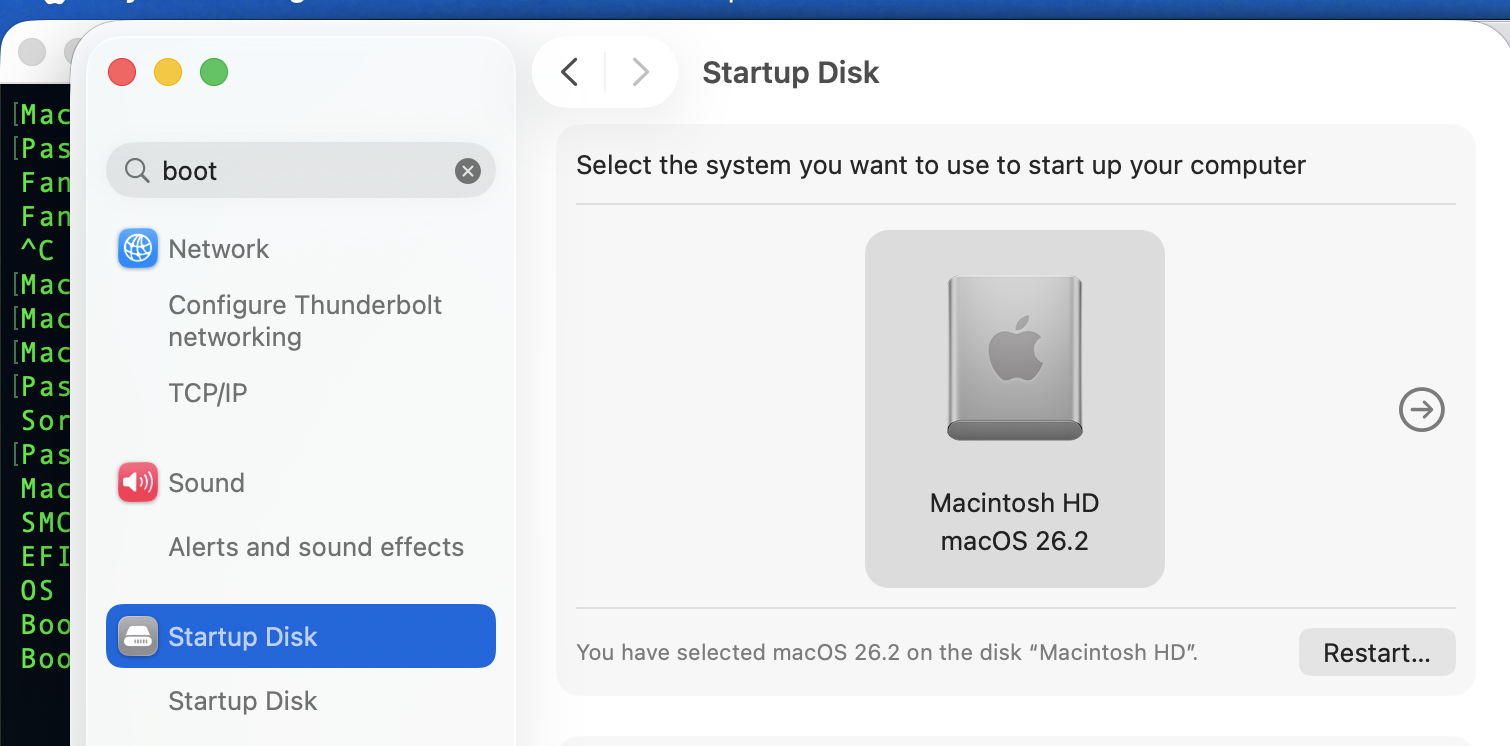


ref: Use more than one version of macOS on Mac - Apple Support


Dec 17, 2025 11:33 AM in response to kenfrompershore

You need to use a bootable USB installer. Apple doesn’t recommend running long-term dual boot on two volumes in the same container, but I’m not sure how a separate container would affect that.

Create a bootable installer for macOS - Apple Support

For the bootable installer, you’ll have to enable external boot in the security set up, utility in recovery.


Dec 17, 2025 12:30 PM in response to leroydouglas

  1. In the sidebar, select your existing APFS volume, such as Macintosh HD.

I'm not sure which one I should choose to add my new volume too.


There is Macintosh HD Volume Group, Macintosh HD System Volume ( Greyed out), Macintosh HD Startup Snapshot & MacIntosh HD Data.


If I select the first one and create a MACOS Sequoia volume, I get the same message 'This installer cannot be used from the version of macOS you are running'.

Dec 17, 2025 4:10 PM in response to kenfrompershore

kenfrompershore wrote:

1. In the sidebar, select your existing APFS volume, such as Macintosh HD.
I'm not sure which one I should choose to add my new volume too.

There is Macintosh HD Volume Group, Macintosh HD System Volume ( Greyed out), Macintosh HD Startup Snapshot & MacIntosh HD Data.

If I select the first one and create a MACOS Sequoia volume, I get the same message 'This installer cannot be used from the version of macOS you are running'.

None of those are Containers. They are all volumes in the same container. You need to select Show all devices from the View popup menu. You then select the enclosing container and add a volume there. If you had a volume selected and you were able to “Add Volume,” I would suppose it would be created in the same container.

regardless, you will never get anywhere unless you startup from a Bootable USB Installer.

Dec 17, 2025 7:14 PM in response to kenfrompershore

Plus you will need to first modify the laptop's security settings by allowing "booting from USB" by using the Startup Security Utility so you can boot from the macOS Sequoia USB installer:

About Startup Security Utility on a Mac with the Apple T2 Security Chip - Apple Support


Edit: How much Free storage space do you have on your SSD? You need at least 80GB+ of Free storage space just to install another OS. You need to make sure you always maintain at least 20GB+ of Free space, but you likely need to have a lot more Free storage if you want to do anything significant with either OS.


FYI, ignore the "Available" storage space shown everywhere in macOS since it is very misleading. Within macOS "Available" is not synonymous with Free. Plus the only locations which report the actual Free storage space is within Disk Utility and the System Profiler.


Trying to install Sequoia for Dual Boot with Tahoe.

Welcome to Apple Support Community
A forum where Apple customers help each other with their products. Get started with your Apple Account.



