Can I roll back an update?

I have never complained about an update in all these years but 26.1 has been the worst! To block a spam caller I now have to call them back and access their contact information to block them. It signed me out of a bunch of apps and cancelled my password. Does not recognize my fingerprint or voice. What a mess.

Posted on Dec 20, 2025 9:24 AM

Reply
9 replies

Dec 20, 2025 11:01 AM in response to kacky

kacky wrote:

I have never complained about an update in all these years but 26.1 has been the worst! To block a spam caller I now have to call them back and access their contact information to block them.

No, you don't actually.


It signed me out of a bunch of apps and cancelled my password.

No idea what you mean by "cancelled my password".

Explain.

As for signing you out of apps, that's pretty common when updating the OS. You often need to sign back into apps after an os update, and many times after an app update.


Does not recognize my fingerprint or voice. What a mess.


Dec 20, 2025 1:10 PM in response to KiltedTim

[To block a spam caller I now have to call them back and access their contact information to block them.


No, you don't actually.]

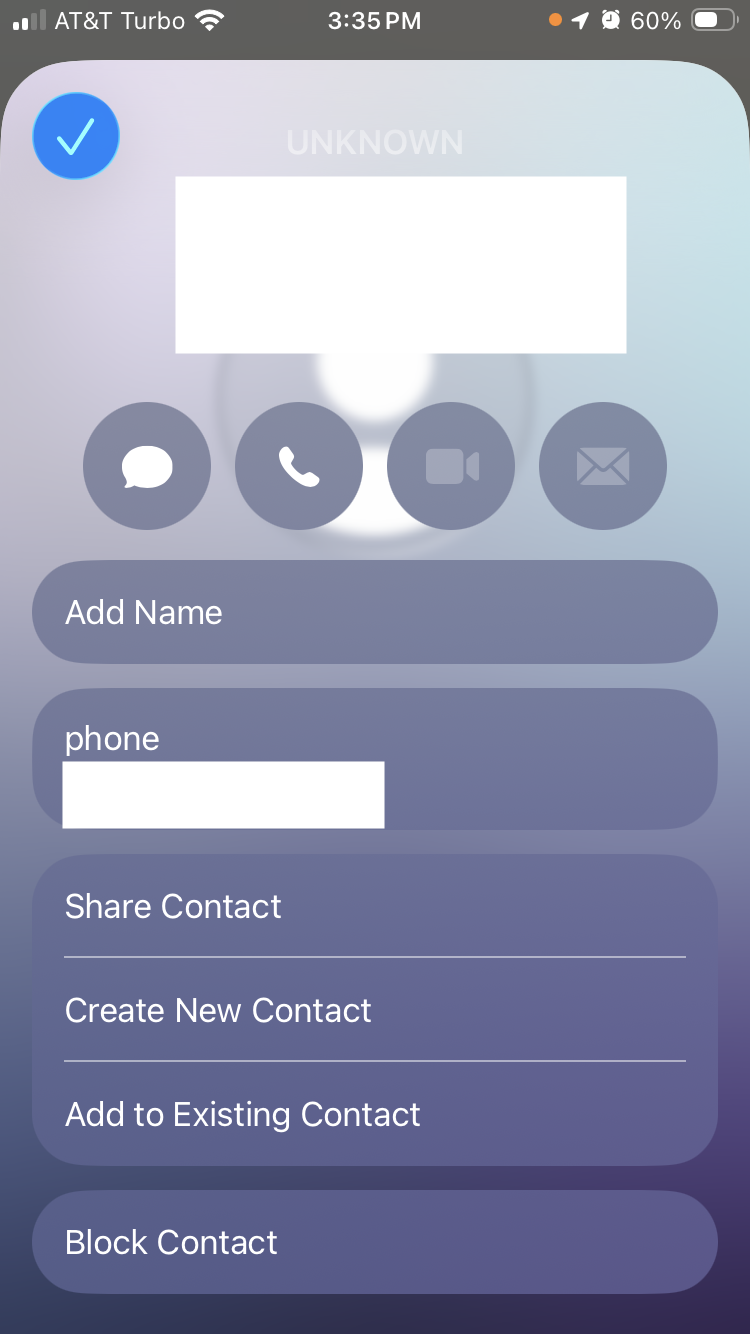
As you can see in this screen capture, the block option is no longer there at the bottom of the list.


To get it, I have to call them back which then gives me access to a "contact card" that does have the option, as seen in this screen cap.


[No idea what you mean by "cancelled my password".

Explain.]

So far it has happened with DietBet, Venmo and Paypal. I had to contact tech support for each one, because my fingerprint and logins were not recognized. In desperation I clicked "forgot my password" (even though all passwords are unique, strong and saved) But the apps refused to load the emailed password recovery links.


[As for signing you out of apps, that's pretty common when updating the OS. You often need to sign back into apps after an os update, and many times after an app update.]


[Edited by Moderator]

Dec 20, 2025 1:14 PM in response to kacky

Why are you blocking what is obviously a spam call? That number will never call you again. And the option doesn’t appear precisely because it is already identified as spam. Try tapping i next to a number that is not in your contacts, but not spam, and you will see the option to block it.


Real spammers never use the same fake number twice, so if you block every spam number all you will do is end up with hundreds of blocked numbers using up storage that will never call you again and with no convenient way to clean up the blocked number list. Call blocking is for blocking people you know who you don’t want to hear from.

Dec 20, 2025 1:30 PM in response to kacky

I can see you're using the classic view instead of the unified view. That's fine. DON'T TAP ON THE CALL. Tap the info icon to the right of the call in the call log. That will bring up the contact card with the option to block the caller.


Many apps do not store their passwords in the password manager and the biometrics are specific to that app.

If you can't remember your passwords, that's your problem if you didn't manager to save them somewhere.


Can I roll back an update?

Welcome to Apple Support Community
A forum where Apple customers help each other with their products. Get started with your Apple Account.

