How do I log out of iCloud

How do I log out of iCloud?


Posted on Jan 30, 2022 6:29 AM

Reply
Question marked as Top-ranking reply

Posted on Feb 12, 2022 1:25 AM

How do you log out on a MacBook Pro 13 inch 2015


Sign out on your Mac

  1. Choose Apple menu  > System Preferences.
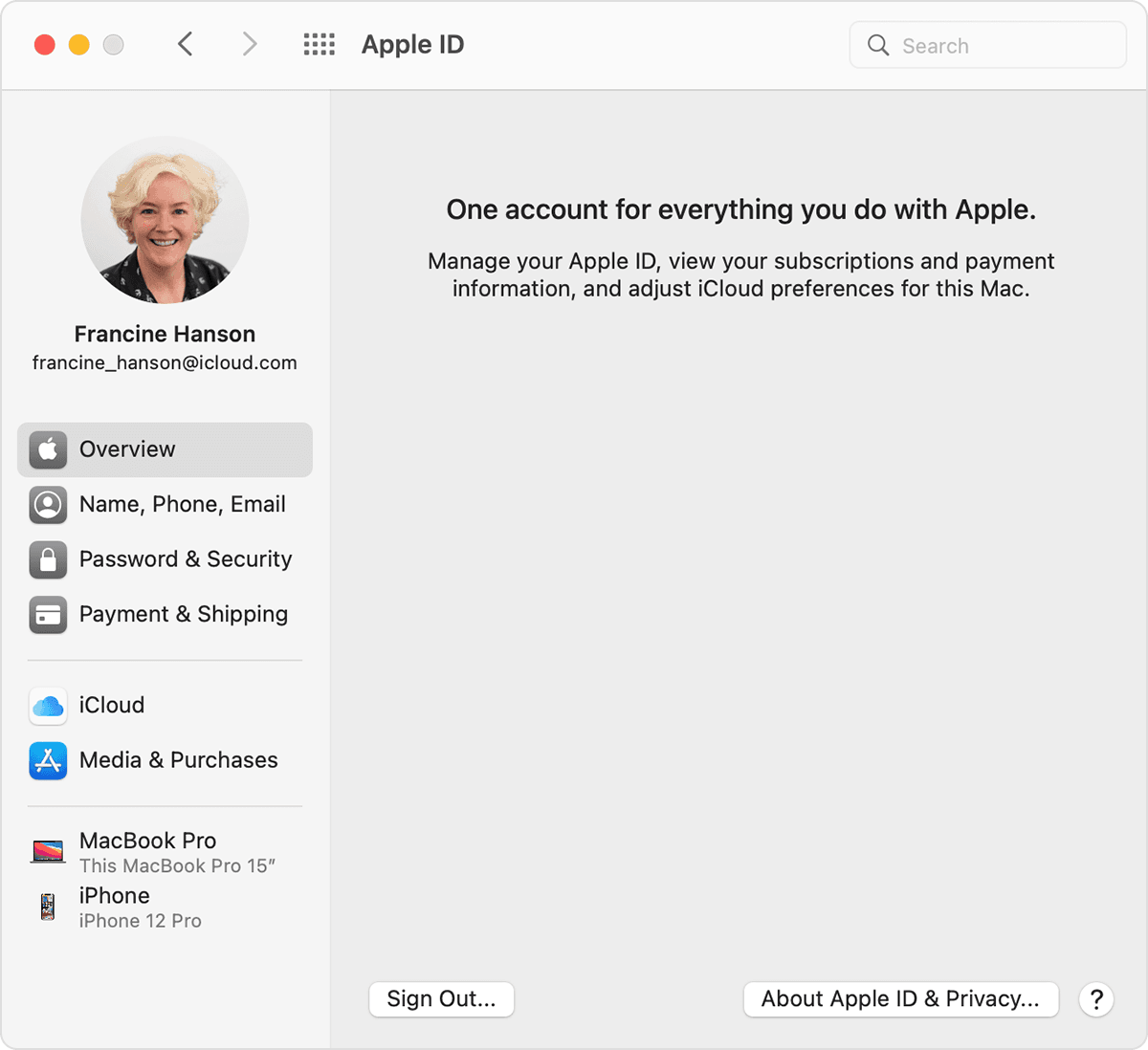
  2. Click Apple ID, then click Overview. If you use macOS High Sierra or earlier, click iCloud.
  3. Click Sign Out.
  4. If you want to a keep a copy of your iCloud data on your Mac before you sign out, make sure that you select the appropriate checkboxes. Then click Keep a Copy.
  5. If you want to keep a copy of your Safari passwords on your Mac, click Keep on This Mac.


*Graphic is the example from the linked Apple support document.


4 replies
Question marked as Top-ranking reply

Feb 12, 2022 1:25 AM in response to Courtneykolodin

How do you log out on a MacBook Pro 13 inch 2015


Sign out on your Mac

  1. Choose Apple menu  > System Preferences.
  2. Click Apple ID, then click Overview. If you use macOS High Sierra or earlier, click iCloud.
  3. Click Sign Out.
  4. If you want to a keep a copy of your iCloud data on your Mac before you sign out, make sure that you select the appropriate checkboxes. Then click Keep a Copy.
  5. If you want to keep a copy of your Safari passwords on your Mac, click Keep on This Mac.


*Graphic is the example from the linked Apple support document.


This thread has been closed by the system or the community team. You may vote for any posts you find helpful, or search the Community for additional answers.

How do I log out of iCloud

Welcome to Apple Support Community
A forum where Apple customers help each other with their products. Get started with your Apple Account.