Hi Edmund1212,
Most subscriptions billed through the App Store can be cancelled via one of the means in the following article:
If you don't see the subscription to cancel it, there are a few reasons why this may happen as outlined below:
"Can’t find the subscription that you want to cancel?
You can cancel iCloud+ in your iCloud storage settings.
If you aren't trying to cancel iCloud+, find your receipt:
- Search your email for the words "receipt from Apple."
- On the receipt for the subscription, check which Apple ID was used.
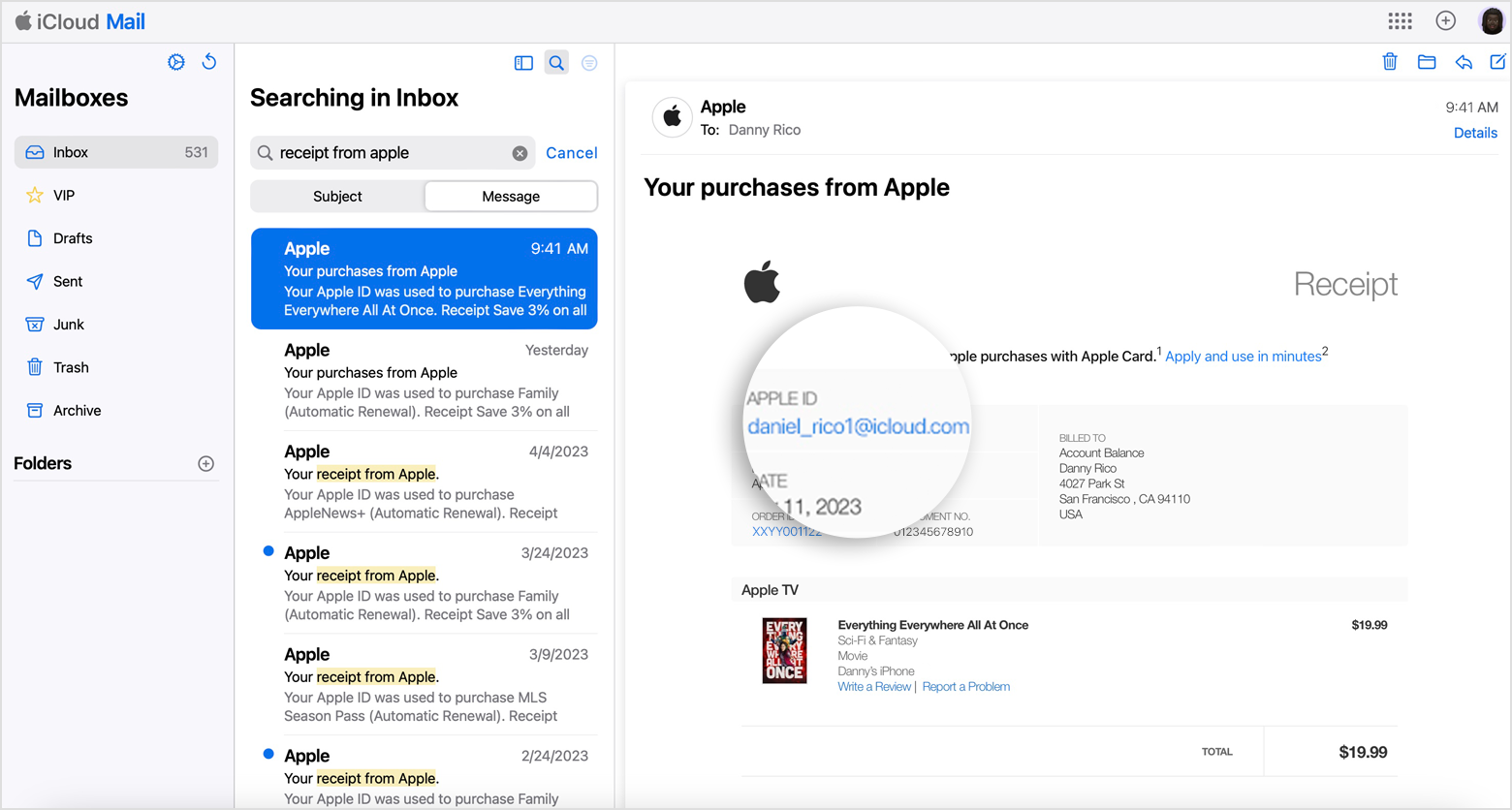
- If a family member's Apple ID appears on the receipt, ask that family member to use the steps in this article to cancel the subscription. You can’t cancel a family member's subscription.
- If another Apple ID that you use appears on the receipt, sign in with that Apple ID and use the steps in this article to cancel the subscription.
- If you can't find a receipt from Apple for the subscription, you might have bought the subscription from another company. To find out which company bills you, check your bank or credit card statement. To cancel the subscription, you must contact the company that bills you for the subscription."
Bear in mind the final point, if you don't see the receipt from Apple or see the subscription in your Subscriptions history, it is likely the subscription was not purchased from Apple. You'll need to contact the developers or owners of Cam Scanner to cancel the subscription.
Take care.


