You've posted your question in the macOS 12.x Monterey discussion area.
Your online 'bio' line below your post indicates a MacBook Pro 15" and macOS 10.13 "High Sierra".
Are you actually running macOS 13.x "Ventura"? If that is the case, I believe your printer issue is because of new printer limitations apparently imposed by macOS Ventura. I have not tested macOS Ventura on my Apple Silicon MacBook Pro, so I don't know for certain that the same printer limitations exist in the Apple Silicon version of Ventura.
After installing macOS Ventura 13.4 on an external SSD on my Intel iMac 2019, I found the same issue you've experienced with two Canon color printers (PIXMA TS9020 and PIXMA iX6820).
Even downloading the latest drivers directly from the Canon website, most printer options available in Monterey are simply no longer available in Ventura.
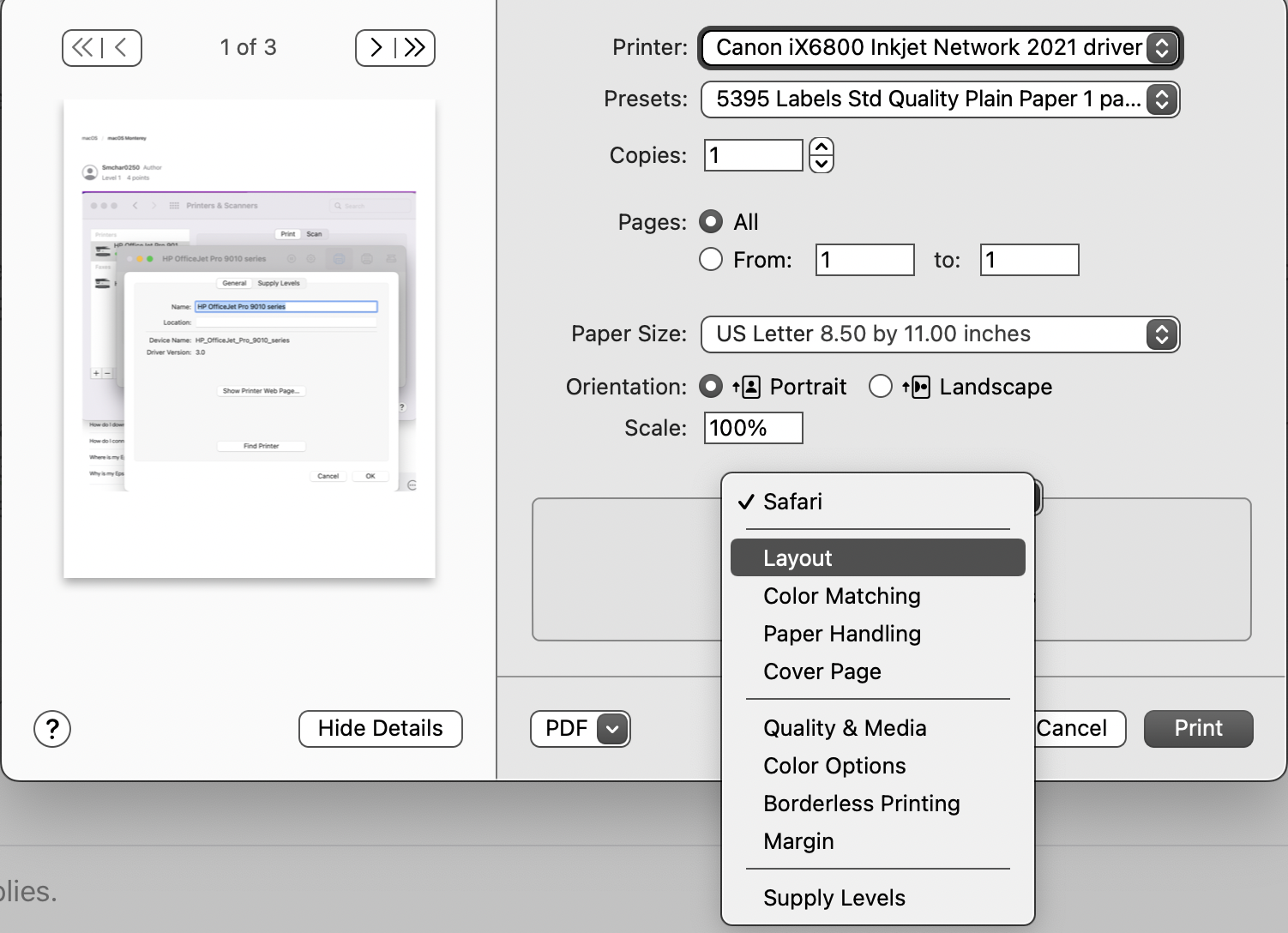 (pic of Monterey printer options attached)
My "workaround" was to return to running macOS Monterey.
Fortunately, I installed macOS Ventura for testing purposes on an external Thunderbolt 3-attached SSD, so it was easy to return to macOS Monterey just by reselecting the internal Boot drive and restarting the computer.
Now I continue to print the images and documents requiring options and flexibility no longer available in macOS Ventura.
I originally experienced similar issues when AirPrint was first released. I found the AirPrint drivers for my printers were extremely limited, compared to the options available in non-AirPrint drivers.

