How else can I delete my payment method from my phone?
It’s not letting me delete my payment method, I want it deleted off my phone completely! How can that be done is it fine let me in settings
iPhone 13, 15
It’s not letting me delete my payment method, I want it deleted off my phone completely! How can that be done is it fine let me in settings
iPhone 13, 15
See -> Remove a payment method from your Apple ID
Remove a payment method from your Apple ID - Apple Support
⤵️
If you can't remove a payment method
If you have subscriptions like iCloud+, have an unpaid balance, or you use purchase sharing, you must keep at least one payment method on file.
Remove a payment method on your iPhone or iPad
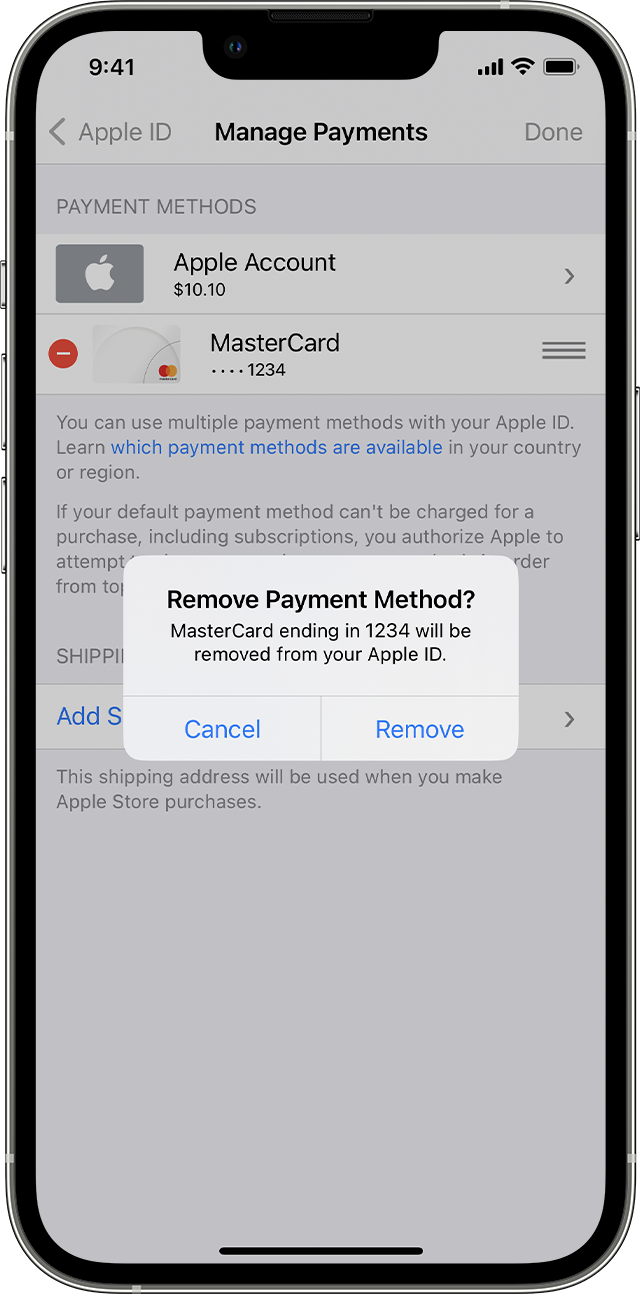
See -> Remove a payment method from your Apple ID
Remove a payment method from your Apple ID - Apple Support
⤵️
If you can't remove a payment method
If you have subscriptions like iCloud+, have an unpaid balance, or you use purchase sharing, you must keep at least one payment method on file.
Remove a payment method on your iPhone or iPad
How else can I delete my payment method from my phone?