Screen off battery usage high?
My battery usage has been draining really quickly and getting rather hot, i noticed that my screen off usage is quite high and my background app refresh is off. Any way to reduce this?
iPhone 12 Pro, iOS 16
My battery usage has been draining really quickly and getting rather hot, i noticed that my screen off usage is quite high and my background app refresh is off. Any way to reduce this?
iPhone 12 Pro, iOS 16
Hi there Kairo444,
We recommend following the steps below, as it can show you which apps had background activity (along with looking for "Background Activity" under the app):
Check battery usage
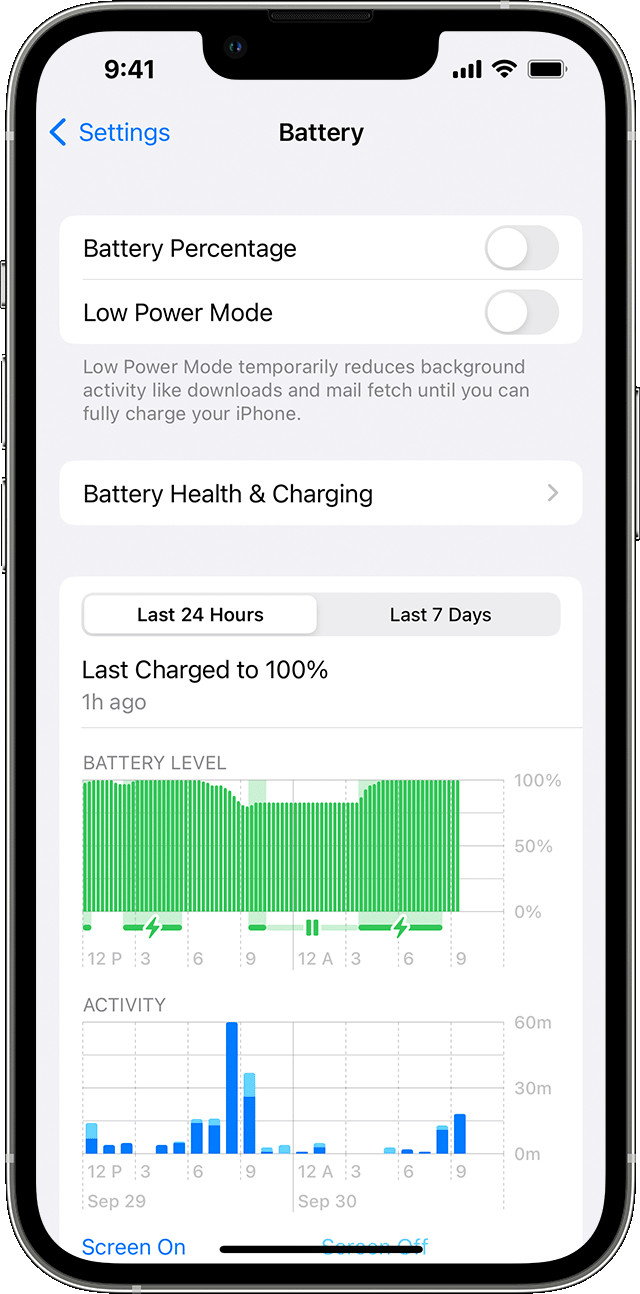
To see an overview of your battery level and activity for the last 24 hours and up to the last 10 days, go to Settings > Battery.
When you tap one of the time periods above the Activity graph (Last 24 Hours or Last [X] Days), you can see which apps contributed to your battery usage during that time period, and the proportion of battery used for the app.
To see how long each app was in use on screen (the dark blue bars) or in the background (the light blue bars), tap Show Activity. Under each app, you might see these usage types:
* Background Activity means that most of the app's battery usage — such as playing music or tracking location — happened while the app was in the background.
That information, and more, can be found here: About the battery usage on your iPhone, iPad, and iPod touch - Apple Support
Once you've found the apps that were running when the screen was off/had background activity, you'll want to ensure that the latest version of that app is running on your iPhone 12 Pro. If needed, this article shows how: How to manually update apps on your Apple device - Apple Support
You'll also want to go inside the app itself and see if there are any settings that allow background activity when it's not in use, which may also help stop the screen off usage/background activity being lower.
We hope that information helps.
Take care.
Hi there Kairo444,
We recommend following the steps below, as it can show you which apps had background activity (along with looking for "Background Activity" under the app):
Check battery usage
To see an overview of your battery level and activity for the last 24 hours and up to the last 10 days, go to Settings > Battery.
When you tap one of the time periods above the Activity graph (Last 24 Hours or Last [X] Days), you can see which apps contributed to your battery usage during that time period, and the proportion of battery used for the app.
To see how long each app was in use on screen (the dark blue bars) or in the background (the light blue bars), tap Show Activity. Under each app, you might see these usage types:
* Background Activity means that most of the app's battery usage — such as playing music or tracking location — happened while the app was in the background.
That information, and more, can be found here: About the battery usage on your iPhone, iPad, and iPod touch - Apple Support
Once you've found the apps that were running when the screen was off/had background activity, you'll want to ensure that the latest version of that app is running on your iPhone 12 Pro. If needed, this article shows how: How to manually update apps on your Apple device - Apple Support
You'll also want to go inside the app itself and see if there are any settings that allow background activity when it's not in use, which may also help stop the screen off usage/background activity being lower.
We hope that information helps.
Take care.
Screen off battery usage high?