Apple Numbers showing the current value (107.35) of the referenced cell within the formula editor.

How do I stop Numbers adding 107.35 to a cell reference and then stop it ever happening again?


Pls see images for a better explanation.


Thanks.


MacBook Pro 16″

Posted on Feb 10, 2025 4:51 PM

Reply
Question marked as Top-ranking reply

Posted on Feb 11, 2025 10:14 AM

Quite simple.


In your second screenshot, your table is configured with Column A defined as a Header Column.


Just like Header Rows, Header columns are typically used for labels rather than data. Heeaders usually remain fixed on screen as you scroll around (so you can easily see which columns/rows you're looking at), and they're typically printed at the top and left of any printouts.


By default, when using Header Rows and Header Columns, Numbers will show cell references using the labels, rather than the generic references. So in the case of 'L1: Opt@ Expiry 107.35', it's referring to the intersection of the 'L1: Opt @Expiry' column and the '107.35' row.


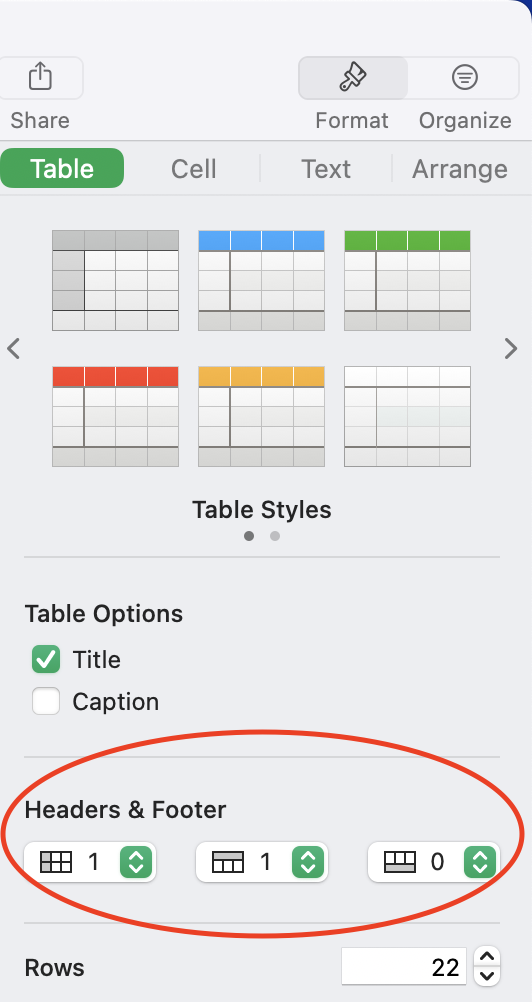
If you turn off header columns (Format Inspector -> Table -> Header & Footer), it will revert to using row numbers instead:


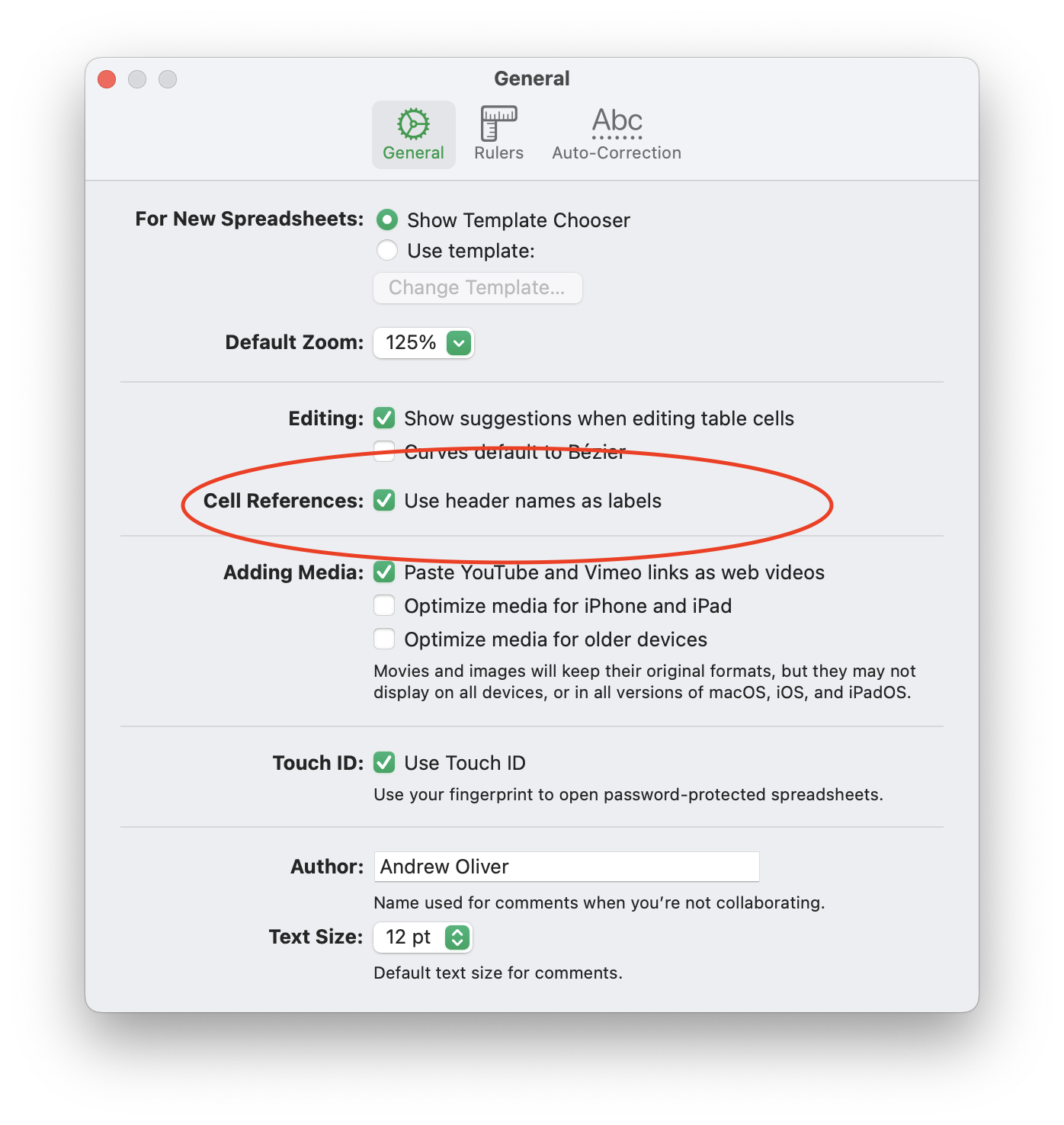
You can also toggle whether or not Numbers uses 'friendly' cell references via Numbers -> Settings -> Use header names as labels:


1 reply
Question marked as Top-ranking reply

Feb 11, 2025 10:14 AM in response to Bardonicloud

Quite simple.


In your second screenshot, your table is configured with Column A defined as a Header Column.


Just like Header Rows, Header columns are typically used for labels rather than data. Heeaders usually remain fixed on screen as you scroll around (so you can easily see which columns/rows you're looking at), and they're typically printed at the top and left of any printouts.


By default, when using Header Rows and Header Columns, Numbers will show cell references using the labels, rather than the generic references. So in the case of 'L1: Opt@ Expiry 107.35', it's referring to the intersection of the 'L1: Opt @Expiry' column and the '107.35' row.


If you turn off header columns (Format Inspector -> Table -> Header & Footer), it will revert to using row numbers instead:


You can also toggle whether or not Numbers uses 'friendly' cell references via Numbers -> Settings -> Use header names as labels:


This thread has been closed by the system or the community team. You may vote for any posts you find helpful, or search the Community for additional answers.

Apple Numbers showing the current value (107.35) of the referenced cell within the formula editor.

Welcome to Apple Support Community
A forum where Apple customers help each other with their products. Get started with your Apple Account.