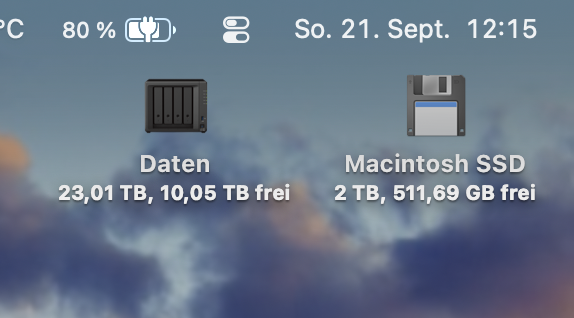
Pressing the delete key or cmd + x in the info dialog does not work if you had changed the icon in the past. You can confirm this by looking at your APFS container and its volumes in Disk Utility. Some volumes will display the new default icon from Apple, others will show your custom icon set in the past with a prior macOS version. Currently the system won’t let you revert to the default, because the default became what you had changed it to in the past. At least that's what happened to me -> See my post above.
But you can still change the icon to the new one if you know its path by copying and pasting via the Get Info dialog which is how it worked for decades now.
For your convenience here are some icon paths in macOS Tahoe:
/System/Library/Extensions/IOStorageFamily.kext/Contents/Resources/
(Contains the new internal, external, removable)
System/Library/Extensions/IOSCSIArchitectureModelFamily.kext/Contents/Resources/
(Contains Floppy Disk, CF, SD, Super Disk, etc.)
/System/Library/Extensions/IOCDStorageFamily.kext/Contents/Resources/
(Contains CD icons)
/System/Library/Extensions/IOBDStorageFamily.kext/Contents/Resources/
(Contains BD icons)
You get the idea… In Finder you need to Right-click on the .kext file and Show Package Contents. Then drill down to Contents/Resources to find the icon files.
I currently went with the Floppy Disk icon 🙃: