Missing 'blue wave' startup screen after macOS 26 upgrade

Everything else works fine and it's no biggy, but curious as to why I don't see that 'blue wave' screen when opening laptop. any ideas?


[Edited by Moderator]

Original Title: When I open my Macbook after installing MACOS 26 upgrade, I not longer see a 'start up' page. No Blue image as shown

MacBook Air 13″

Posted on Sep 28, 2025 7:08 PM

Reply
7 replies

Oct 3, 2025 8:40 AM in response to joanbell

joanbell wrote:

Everything else works fine and it's no biggy, but curious as to why I don't see that 'blue wave' screen when opening laptop. any ideas?


[Edited by Moderator]
Original Title: When I open my Macbook after installing MACOS 26 upgrade, I not longer see a 'start up' page. No Blue image as shown


What are we talking about here, an app or wallpaper...(?) when you say "open my Macbook"


Rebooting

Shutdown

Sleep

ScreenSaver...


make changes to your >System Settings if in doubt use the Search feature


ref: Customize the wallpaper on your Mac


you can try turning off FileVault if that is the complication —it was forced to on during the macOS 26 upgrade ...

takes about 1.5 seconds to turn off


Oct 3, 2025 2:30 PM in response to joanbell

joanbell wrote:

Thanks for your response, it is on start-up - I used to see the Apple default screen for the MAC OS26. - then I would sign in and then see my own wallpaper choice.

Now the wallpaper is all I see on start up.

I know how to cusomize the wallpaper, that isn't the issue. Thanks again, .Maybe there will be another update where this will be sorted.


If that is all you see on startup how do you log in—are you saying that's the issue?


What is the bluewave is that the old Sequoia default wall paper— you say you know how to change wall paper...


After you logiin you should see any desktop items application from the last time, (unless you chose not to reopen applications when shutting down or restarting.)
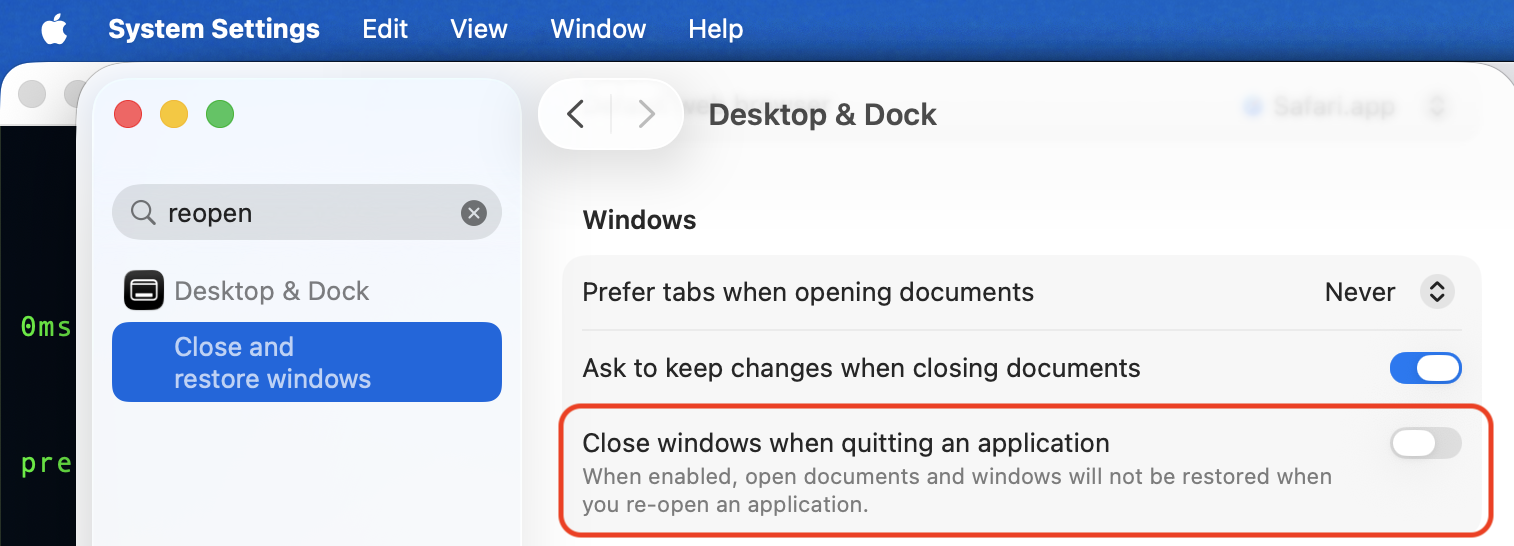


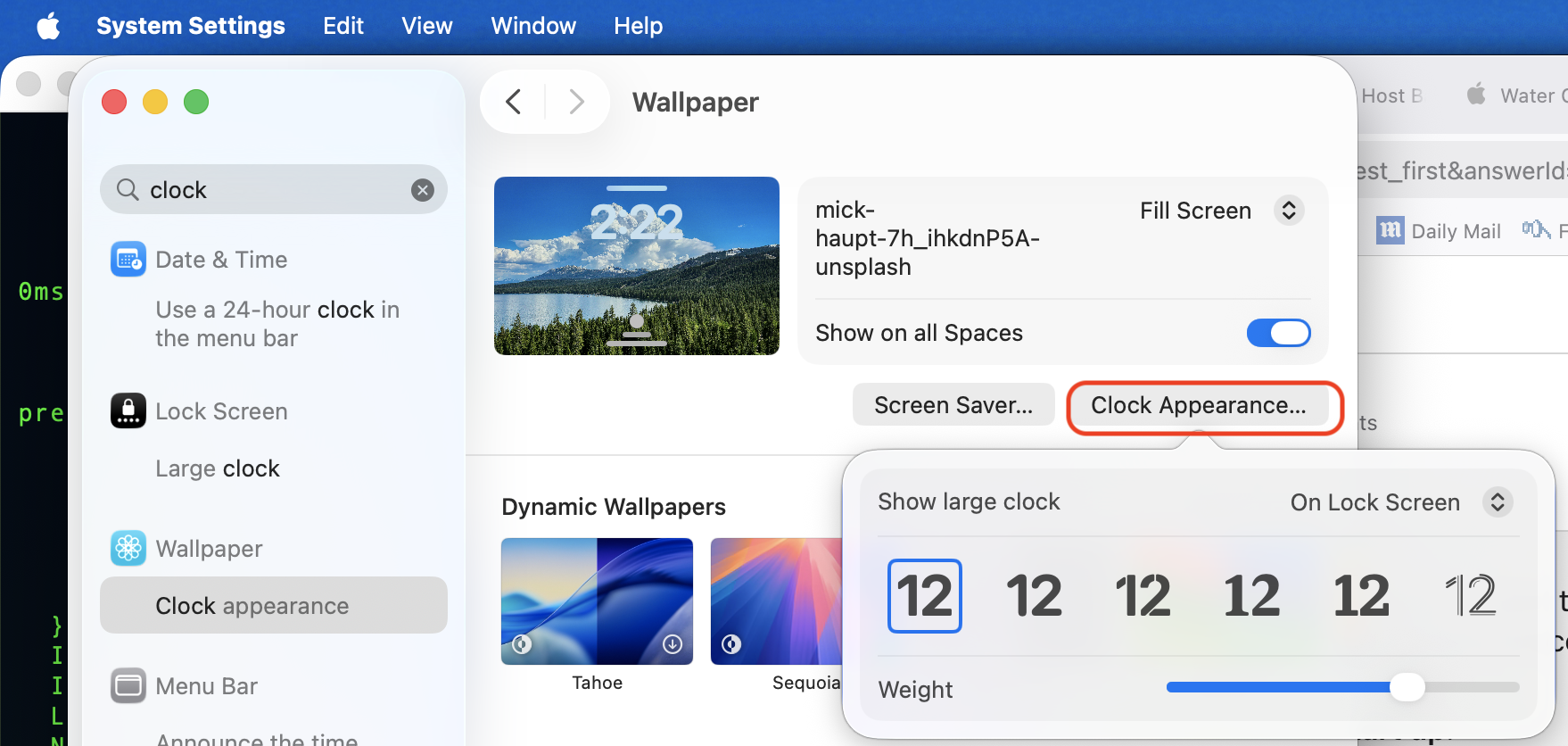
Tahoe has a clock feature as well...


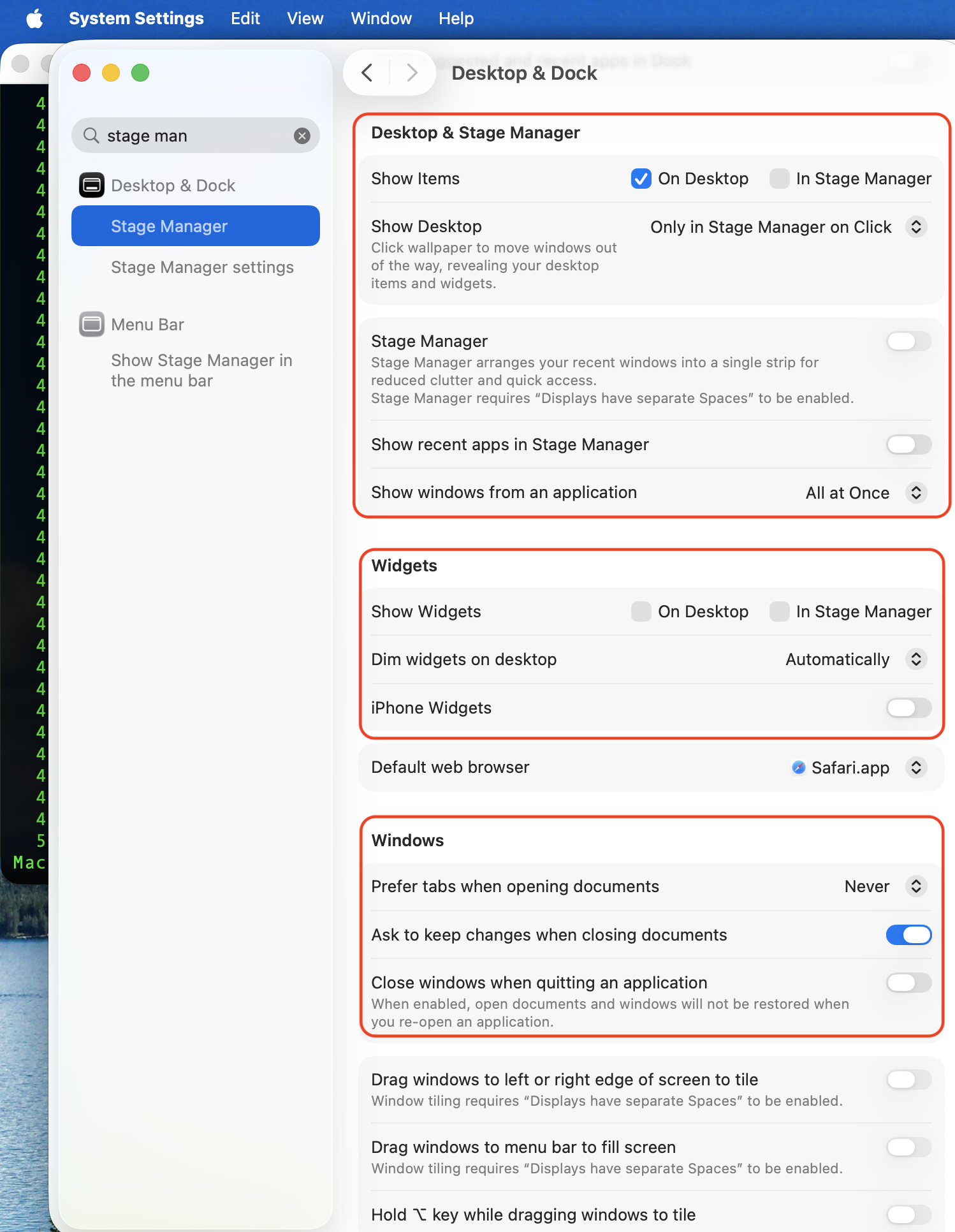
You can turn off all the features introduced back in Sequoia if that is the issue or make changes


if you want help with your issue you will have to provide more information, screenshots or something more to go on.


Good luck !

Oct 3, 2025 6:58 PM in response to leroydouglas

Thanks so much, I do appreciate your help. It's Tahoe, not Sequoia that I am using, the latest version of MAC OS. So on log-in I thought I would see the Tahoe "Blue-Wave" default Mac image that you've shown in your second screenshot as a "dynamic image". In the same way that I used to see that ghastly bright orange/yellow start-up image. From there I would usually sign in. NOW, on start up - I see the desktop wallpaper image right away - and I sign in - then get to my desktop with the same wallpaper image. As I said, not a biggy, I'm just curious as to why there is no Mac wallpaper (or whatever it is called) on start-up, which is a bit ironic really because when it was that ghastly orange, I looked for ways to change it and it wasn't possible....I wondered if others have experienced this?

This thread has been closed by the system or the community team. You may vote for any posts you find helpful, or search the Community for additional answers.

Missing 'blue wave' startup screen after macOS 26 upgrade

Welcome to Apple Support Community
A forum where Apple customers help each other with their products. Get started with your Apple Account.

