Spotlight search in Mac os 26 Tahoe does not find files always says, "No results found"

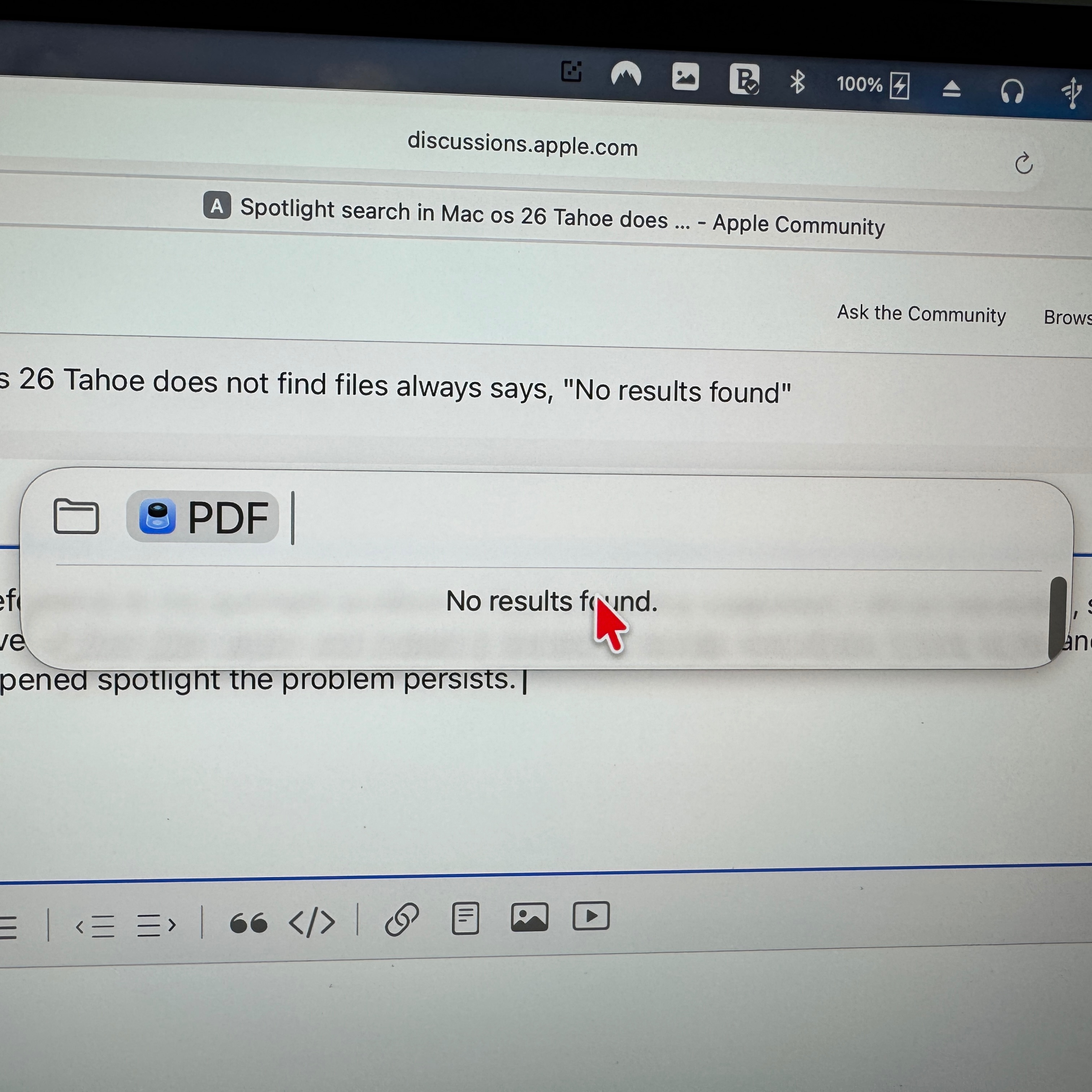
Select Spotlight search from main window. Select files option. Select any of the suggested file formats exe pdf and it comes back with no results found. the same with anything i type. Even a discrete file name. "No results found"


??

Posted on Oct 16, 2025 8:40 PM

Reply
Question marked as Top-ranking reply

Posted on Oct 17, 2025 8:53 AM

BBWEST11 wrote:

Select Spotlight search from main window. Select files option. Select any of the suggested file formats exe pdf and it comes back with no results found. the same with anything i type. Even a discrete file name. "No results found"

??


Is this the same simply using the general spotlight search...?


For a bug in Tahoe—you can try from Activity Monitor.app clicking open and Quit the processes “Spotlight” and “spotlightknowledged” and compare your results.


no resolve—

You can rebuild the Spotlight index—


Rebuild the Spotlight index on your Mac - Apple Support


you can see it working by entering most anything into the search window


5 replies
Question marked as Top-ranking reply

Oct 17, 2025 8:53 AM in response to BBWEST11

BBWEST11 wrote:

Select Spotlight search from main window. Select files option. Select any of the suggested file formats exe pdf and it comes back with no results found. the same with anything i type. Even a discrete file name. "No results found"

??


Is this the same simply using the general spotlight search...?


For a bug in Tahoe—you can try from Activity Monitor.app clicking open and Quit the processes “Spotlight” and “spotlightknowledged” and compare your results.


no resolve—

You can rebuild the Spotlight index—


Rebuild the Spotlight index on your Mac - Apple Support


you can see it working by entering most anything into the search window


Nov 10, 2025 1:13 PM in response to BBWEST11

Hello Everyone. Thank you all for your help. Since I originally posted this problem all of your suggestions did not help ( good ones though). I got the latest update of Tahoe to 26.1. a few days ago, Version 26 and 26.01 did not help. Now everything seems ok with spotlight after the update. Once again thank you everyone.

Bill

Also to my friend that said he had the same problem, try getting 26.1 see if it fixes your problem.


Oct 18, 2025 9:06 AM in response to BBWEST11

Well everyone, with reference to my spotlight problem, I tried everything suggested. I did as requested, set the drive to exclude then removed it from that option and indeed it started to reindex everything. It took all day and night but this morning when I opened spotlight the problem persists. I even tried to look for a specific file that I know exists and it could not find it.

Another issue with spotlight is if I select it and it is on the screen and then decide not to use it it disappears, fine, but then when I select it again it appears randomly off to the top with only a small portion showing and you can't select it to move it on to the screen. The only way to get it actually back is to keep selecting it and eventually will show up on the screen. So strange. Thank you everyone for your help.


[Edited by Moderator]

Spotlight search in Mac os 26 Tahoe does not find files always says, "No results found"

Welcome to Apple Support Community
A forum where Apple customers help each other with their products. Get started with your Apple Account.

