Secondary click on trackpad not working after installing Tahoe and Safari 26

I have to use control+click to open the option menu on links or icons after the upgrade. The secondary click option under trackpad settings is set to two finger tap, but that does not work. Please tell me that will be fixed in the next update...

iMac 24″, macOS 26.1

Posted on Nov 7, 2025 7:23 AM

Reply
Question marked as Top-ranking reply

Posted on Nov 7, 2025 7:38 AM

Do you have Tap to Click turned on?


Try changing these settings, closing System Settings, and then turning them back to your preferred values.


If the problem persists: restart in Safe Mode, test, and then restart normally again, test. Does it happen in Safe Mode? Does it not happen in Safe Mode, but then reappears when booted normally?


Another test: create a new user account, and see if the same problem occurs in that account.


Report back here with the results.

7 replies
Question marked as Top-ranking reply

Nov 7, 2025 7:38 AM in response to Insman

Do you have Tap to Click turned on?


Try changing these settings, closing System Settings, and then turning them back to your preferred values.


If the problem persists: restart in Safe Mode, test, and then restart normally again, test. Does it happen in Safe Mode? Does it not happen in Safe Mode, but then reappears when booted normally?


Another test: create a new user account, and see if the same problem occurs in that account.


Report back here with the results.

Nov 7, 2025 9:33 AM in response to Insman

Insman wrote:
I can't help but think there's a "trackpad glitch" with 26.1. I guess I'll have to wait for a software update.

My Magic Trackpad is working fine on 26.1. Suggest you follow the advice to boot in Safe Mode and/or create a new user account. I suspect a 3rd party extension is causing the problem here (an old Logitech driver, something like that).

Nov 7, 2025 9:14 AM in response to Insman

You may consider to " Forget this Device " in Bluetooth setting for the Original Problematic Apple Trackpad


Then go through the process to Pair it again ?


" Hail Mary" & " Last Resort " , sort of


You may also try the suggestion from my colleague @Luis S


Quote " Another test: create a new user account, and see if the same problem occurs in that account. "


Nov 7, 2025 7:29 AM in response to Insman

Hum, predicated on your byline ' iMac 24" 26.1 "


An iMac with a trackpad ? who's Trackpad ?


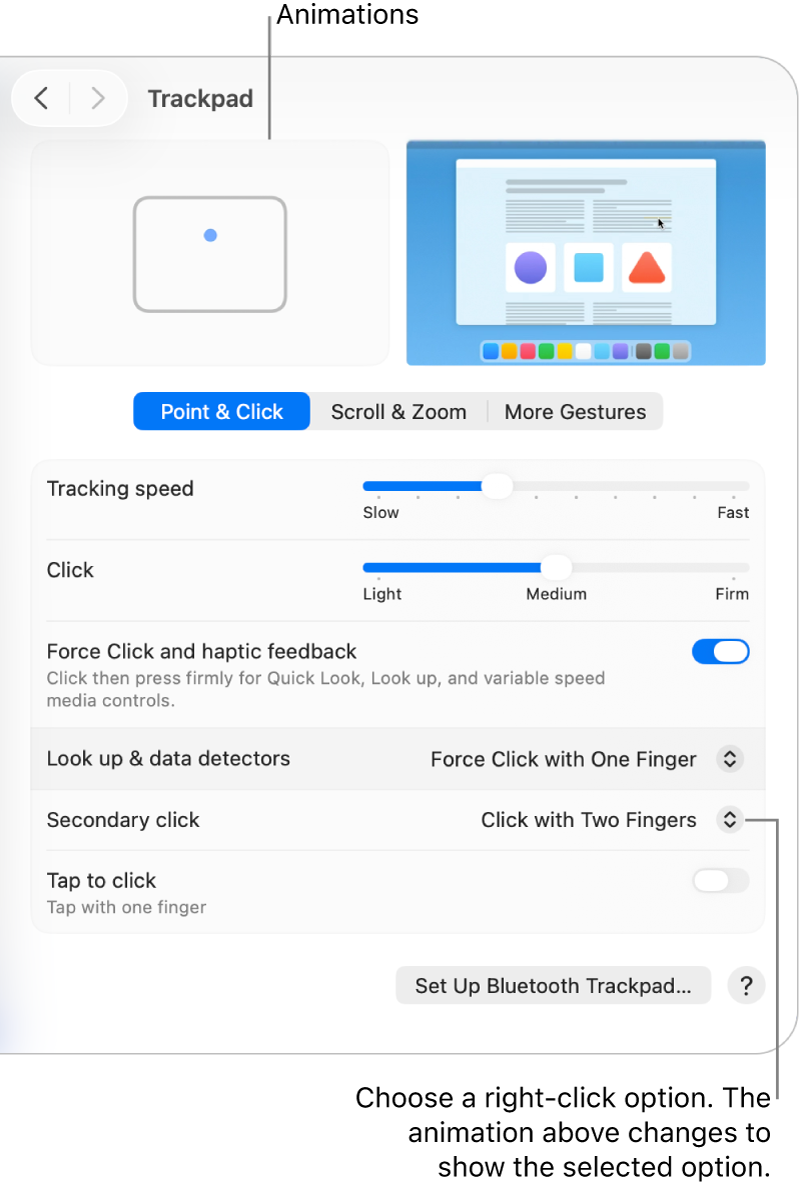
Control-click items using only your trackpad


To Control-click items using only your trackpad, you may need to change its settings.


  1. Go to the System Settings app  on your Mac.
  2. Click Trackpad  in the sidebar. (You may need to scroll down.)
  3. Click the “Secondary click” pop-up menu, then choose an option.


Nov 7, 2025 8:49 AM in response to Luis Sequeira1

All the settings are correct and have been "unset" and "reset" to no avail. Same behavior in safe mode. Then I got out an Apple bluetooth mouse, paired it with the iMac, and the right click functions works fine with the mouse. I then disconnected the trackpad. I pulled out another Apple trackpad I had lying around, paired it to the iMac and encountered the same "no right click" issue as with the original trackpad. I can't help but think there's a "trackpad glitch" with 26.1. I guess I'll have to wait for a software update.

Secondary click on trackpad not working after installing Tahoe and Safari 26

Welcome to Apple Support Community
A forum where Apple customers help each other with their products. Get started with your Apple Account.