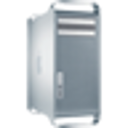
Superdrive replacement
Looking to replace my old Superdrive PIONEER DVD-RW DVR-112D for my Mac Pro 3.1 with a newer model since they don't make them anymore.
Which newer model can I replace it with?
Mac Pro, OS X 10.11
Looking to replace my old Superdrive PIONEER DVD-RW DVR-112D for my Mac Pro 3.1 with a newer model since they don't make them anymore.
Which newer model can I replace it with?
Mac Pro, OS X 10.11
Hi, Luis Munoz1…. 👍 for what jeffreythefrog wrote.. technically it’s an IDE Superdrive/optical drive, which aren’t really being made anymore… the fix/answer/solution is simple: buy a SATA to IDE plug in right angle board( plugs into the back of the newer optical drive) plus a newer optical drive and there you go ! Removing the old drive is simple enough, shut down your Mac Pro, pull the lever at the back, remove side panel, touch frame of Mac Pro, optical cage is up top, lines up with some studs on the bottom of the optical cage area… wiggle the cage out a bit, disconnect the data and power cables going to the drive, and pull the whole enchilada out ( drive in the optical cage) …#1 or # 0 phillips screwdriver will remove the screws holding the drive in the cage, slide it out the front… the last thing to remember is that the disc tray should have no lip on it, so if and when you get the new drive, if it has a lip, remove it
hope this helps
john b
Hi, Luis Munoz1…. 👍 for what jeffreythefrog wrote.. technically it’s an IDE Superdrive/optical drive, which aren’t really being made anymore… the fix/answer/solution is simple: buy a SATA to IDE plug in right angle board( plugs into the back of the newer optical drive) plus a newer optical drive and there you go ! Removing the old drive is simple enough, shut down your Mac Pro, pull the lever at the back, remove side panel, touch frame of Mac Pro, optical cage is up top, lines up with some studs on the bottom of the optical cage area… wiggle the cage out a bit, disconnect the data and power cables going to the drive, and pull the whole enchilada out ( drive in the optical cage) …#1 or # 0 phillips screwdriver will remove the screws holding the drive in the cage, slide it out the front… the last thing to remember is that the disc tray should have no lip on it, so if and when you get the new drive, if it has a lip, remove it
hope this helps
john b
unless someone else here can recommend a specific optical drive for your Mac Pro, you may want to go to OWC’s website and contact their support to ask which drive they recommend. they specialize in Mac compatible hardware.
The "hidden" SATA ports on the Mac Pro mainboard were an open secret. So much so that newer tech once issued an add-on cable to run them to a backplate to be used externally:
https://eshop.macsales.com/item/NewerTech/MPQXES2/
.
Superdrive replacement