aHi 2…
Numbers documents have "pages" only when you are Printing the document ora re Preparing to Print the document.
In Edit mode, where you are designing the document or adding data or removing data, Numbers has Tables (and other objects) placed on Sheets. A single Table may occupy a huge number of 'Pages' when printed.
A table may have up to five Header Rows. Header rows can be repeated on each Page (when printing or preparing to print) but each will appear only once on the document when it is in Edit mode.
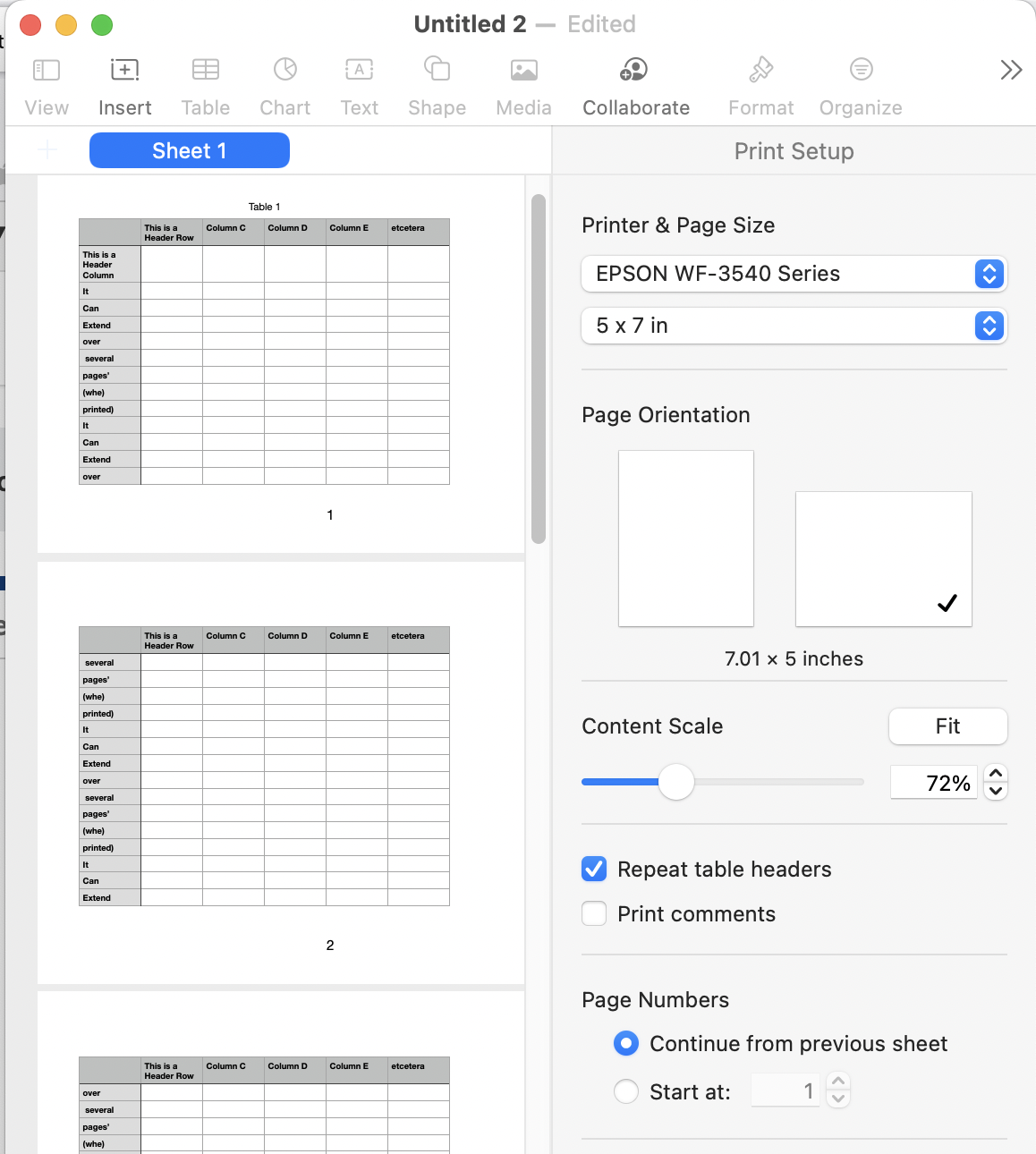
In the example, I've set the page size to 5 by 7 inches to ensure page breaks. The values in row 1 (a Header row) are repeated at the top of each page's section of the table, controlled by checking the Repeat Table Headers box (near the bottom of Page 2 in the example).
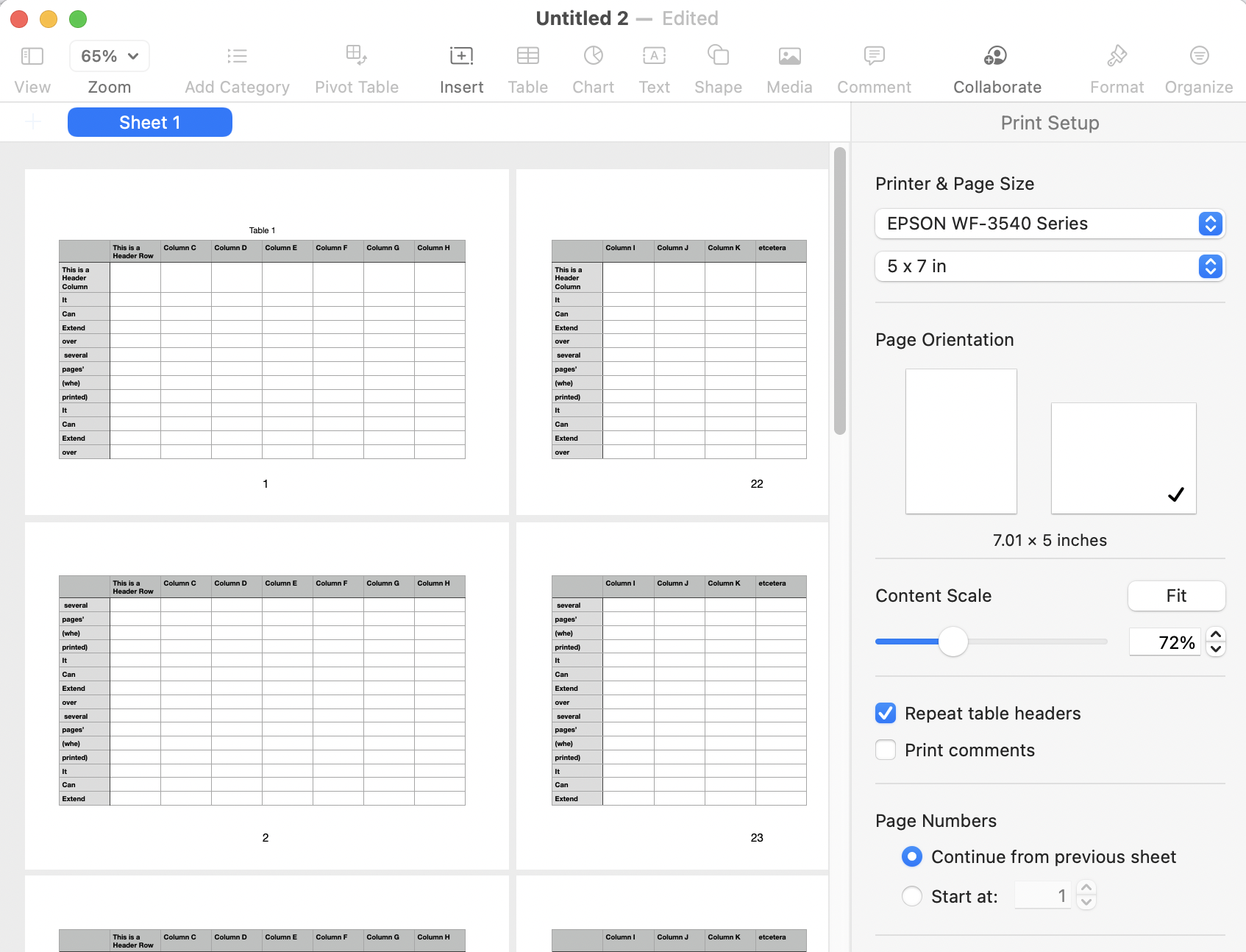
If the Table is expanded to the right by adding more columns, The "repeat Table Headers" setting also applies to the Header columns (up to 5) on the Left side of the table.
Regards,
Barry

