What causes Crucial X10 Pro SSDs to fail on Mac Studio?

Is anyone else having problems with Curcial SSD's on Mac Studio? I bought couple of X10 Pro's and one failed last week and second one today. Both just didn't mount after reboot. Can't format, mount or repair them with Disk Utility. System logs show i/o errors and file system seems to be broken. One of them was encrypted, other was not. And both were connected to the front ports of my Mac Studio. I have plenty of other SSD's without any problems, so this seems really weird. Did I have drives from a bad batch or is this some kind of compatibility issue? Any ideas?


[Re-Titled by Moderator]

Mac Studio

Posted on Dec 1, 2024 10:17 AM

Reply
Question marked as Top-ranking reply

Posted on May 13, 2025 10:10 AM

Dear all,

Imo the issue is not the drive it's Sequoia. The ejections routine of the finder doesnt work the same way as via disk utility. I realised that because the Crucial X10 still was blinking and not fully ejected even it was not visible anymore in the Finder. But when the drive is ejected via Disk Utility it gets fully ejected and doesnt blink anymore. I compared this behaviour with my other maschine Intel+Venutra and Finder ejection routine is the same as via disk utility on that machine. The drive gets fully ejected as well via the Finder. I sent a bug report via Feedback Assistant but no reaction from Apple to it since a few weeks. I assume because the Finder doesnt fully eject the drive it could get corrupt...

25 replies
Question marked as Top-ranking reply

May 13, 2025 10:10 AM in response to pwnder

Dear all,

Imo the issue is not the drive it's Sequoia. The ejections routine of the finder doesnt work the same way as via disk utility. I realised that because the Crucial X10 still was blinking and not fully ejected even it was not visible anymore in the Finder. But when the drive is ejected via Disk Utility it gets fully ejected and doesnt blink anymore. I compared this behaviour with my other maschine Intel+Venutra and Finder ejection routine is the same as via disk utility on that machine. The drive gets fully ejected as well via the Finder. I sent a bug report via Feedback Assistant but no reaction from Apple to it since a few weeks. I assume because the Finder doesnt fully eject the drive it could get corrupt...

Dec 10, 2024 9:42 PM in response to pwnder

Crucial X10 Pro Failing on MacOS! I'm on a M1 MacBook Pro and just had similar defective drive fails with the Crucial X10 Pro. The new SSD initially mounted, I reformatted in APFS encrypted, ran an (encrypted) Time Machine back up. Restarted (to test another backup) and the X10 wouldn't mount. Tried to fix it via Disk Utility but I Couldn't Erase, Couldn't reformat, Couldn't delete the APFS Volume, Couldn't even Mount despite being able to see the SSD in the Disk Utility side bar (grey'd out). I finally was able to get Disk Utility's Partition function to work and reformatted the drive in ExFat, and then did it again in APFS encrypted. Tried restarting and it reconnected. Ran another (encrypted) backup, seems to work. I'll update if the drive fails again. I read such good reviews on the Crucial but now I'm unlikely to use for my backups! Maybe it's a MacOS problem or something to do with USB 3.2 Gen 2x2!? Note I use a few Samsung T7s with zero problems (despite being a lot slower and running 100x hotter than the Crucial).

Dec 13, 2024 12:12 PM in response to PlantBasedChris

I have a Mac Studio and a Macbook Air, both M1. I also own an X8 and an X10, both 4 TB. The X8 works flawlessly on both machines, regardless which OS is used. But after I updated both machines to Sequoia, the X10 startet to show read- and write-errors. I had Crucial send me another X10 - same problem again. I can sometimes fill the X10 with 3 to 3,5 TB and nothing happens. Then the read- and write-errors show up again (reported by CCC). I have been asking myself if this may be an incompatibility with Sequoia, since the problem occured first immediately after updating my Macs. If anyone else has similiar experiences with an X10, please let me know. I'll try to get yet another X10 from Crucial and they seem to be willing to send another one, but maybe this won't help in the end?

Feb 18, 2025 1:12 PM in response to PlantBasedChris

Hi All, just sharing an update on this Crucial X10 Pro external SSD failing on MacOS... After the initial issues and drive reformatting (described above) I thought the problem was resolved as I got about two months (December to February) with a handful of successful Time Machine Backups.


But my backups started failing this week! And worse, trying to reformat the X10 SSD (with Disk Utility) to test/run a clean backup reveals the drive/OS is unable to access over half its volume! It's a 2tb drive but only 825gb appears available (to the Finder, MacOS, Time Machine, Disk Utility, etc) despite running multiple full erases on the drive.


Speaking to Crucial Support they recommend a 5-6 hour power cycle to realign the nand memory, etc. They also say it's a known connection issue blaming part of the problem on MacOS... despite the fact my Samsung T7 backups are still working great! So the best advice I could offer at this time is not to trust the Crucial X10 SSD for your data backups.


Good Luck!

Jan 28, 2025 12:11 PM in response to pwnder

I had the same problem with multiple Crucial drives including an X10 Pro. They would fail to mount and would not allow me to access the files. BUT I was able to mount a drive to my iPhone 15 Pro Max and see the files using the phone Files app. I was paranoid about not having an eject on the phone, so I powered down the phone to make sure it unmounted cleanly. Then I could see the drive and its files when I reconnected it to my Mac.


This smells to me to be as much an Apple software bug as a Crucial drive problem.

Mar 3, 2025 1:34 PM in response to pwnder

I now own a 2024 Mac Mini (M4 32GB 2TB) running Sequoia 15.3.1. I just bought two Crucial X10 Pro external SSDs: 2TB for my Photos library (currently about 1TB in size), 4TB for Time Machine backups. So far, the 2TB Photos drive is working with no issues - but I've replaced the 4TB unit with a Western Digital 20TB external HDD, because:

After I had Time Machine initialize the 4TB drive, it did a complete backup of the Mac HD and the Photos SSD (about 1.8TB) - so far so good.

The next day, TM hadn't done any backups - Time Machine complained that the backup disk (X10 Pro 4TB) wasn't connected - sure enough, it wasn't.

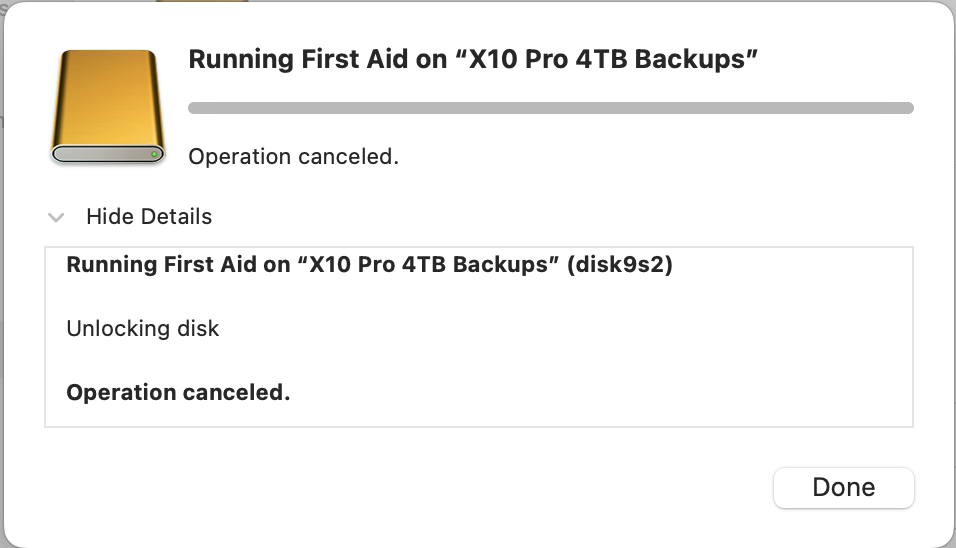
I tried various workarounds - sorry, my notes are sketchy in this area! - the bottom line is this:

Currently, the X10 Pro 4TB drive is unmounted:
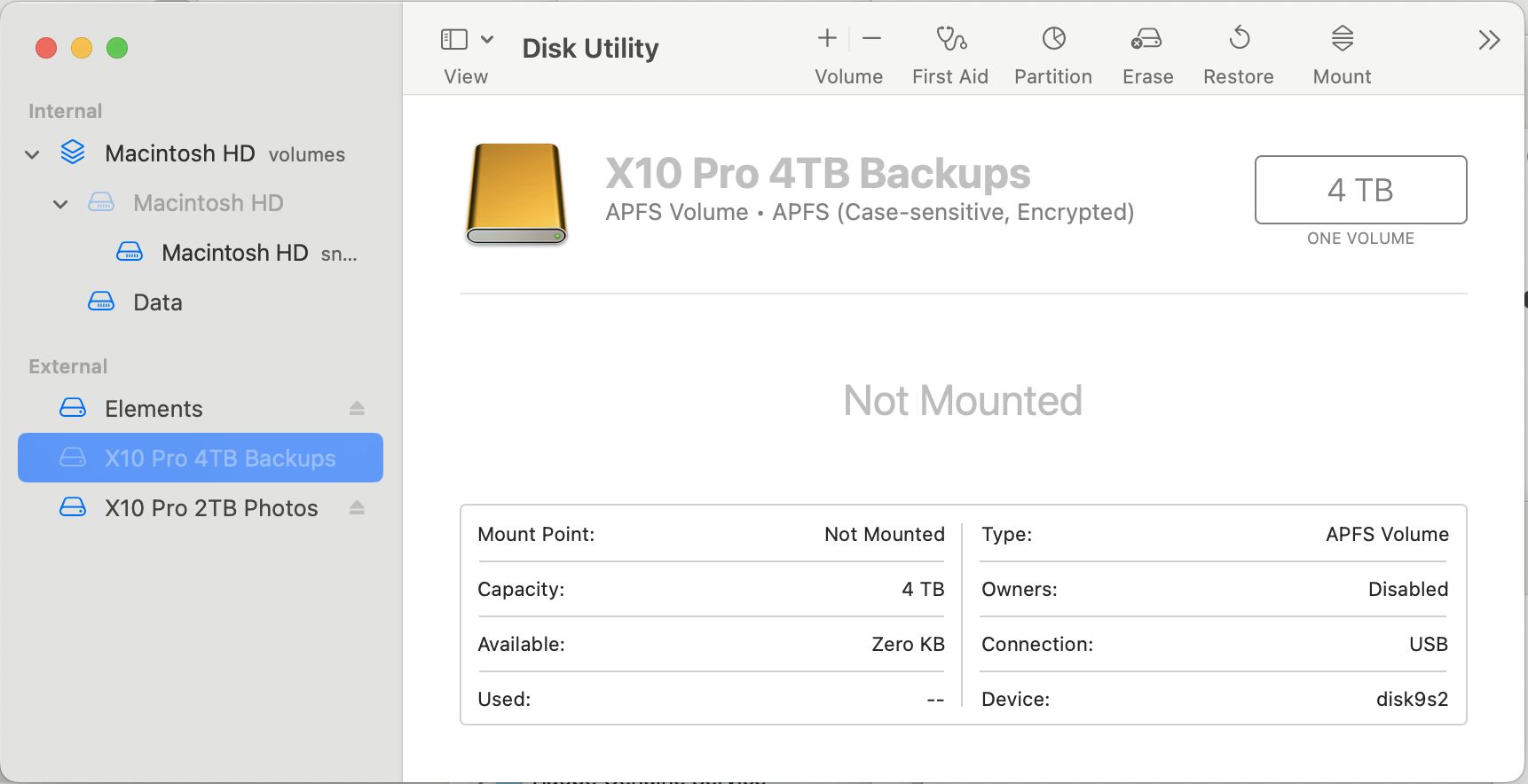


When try to mount:
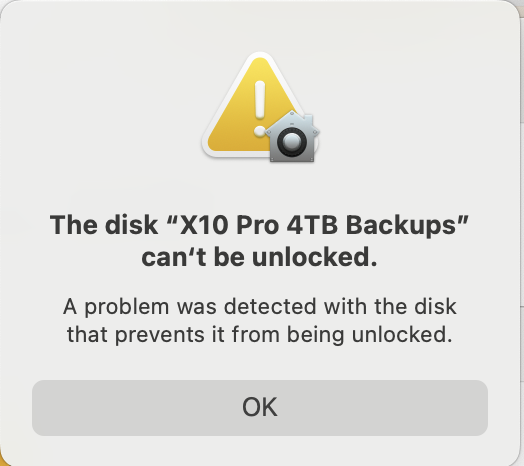

When try to run First Aid:


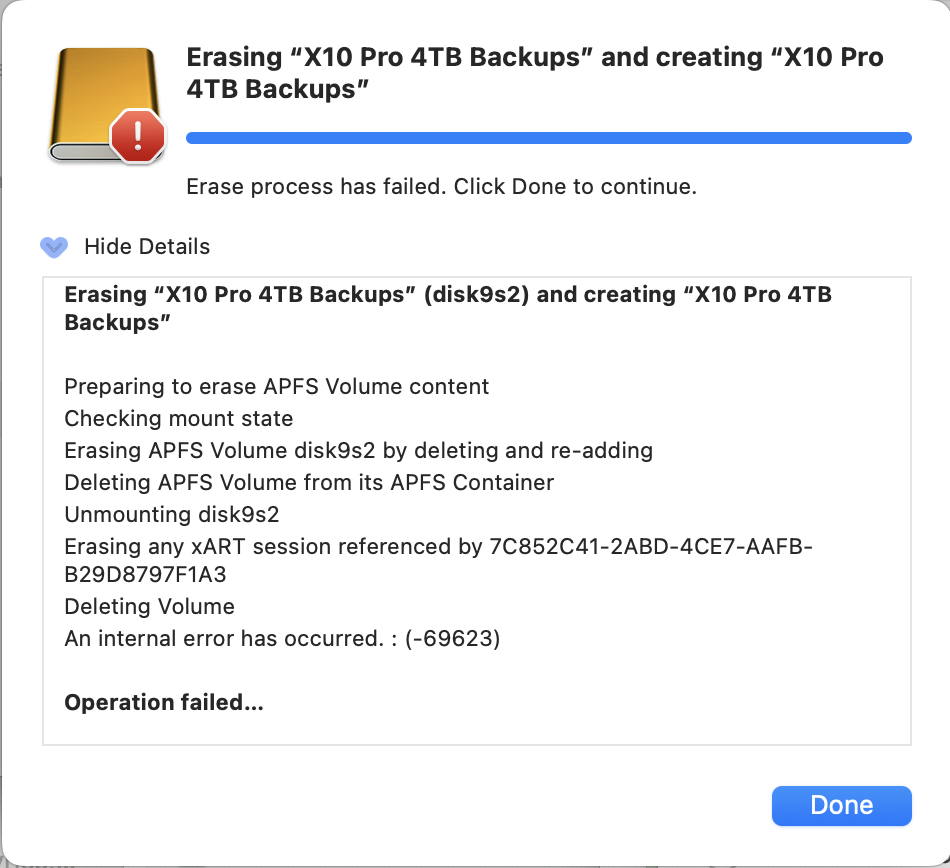
Trying to erase:
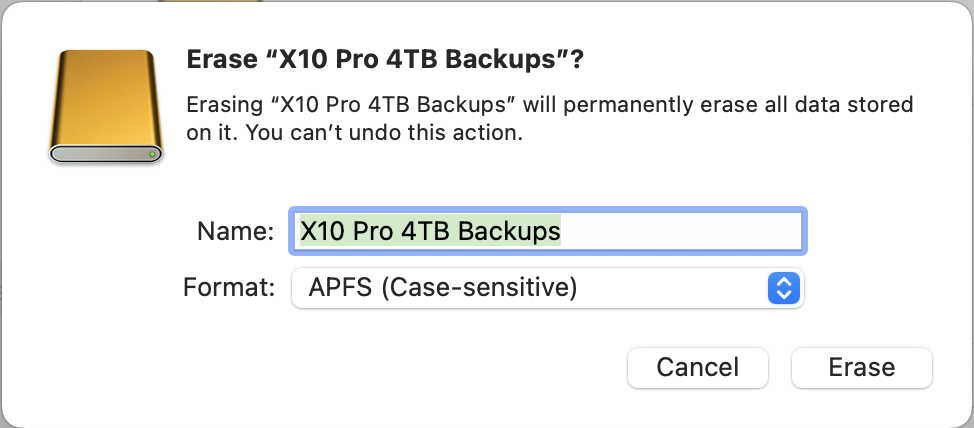

Deleting the volume helped once (I thought) - trying again:
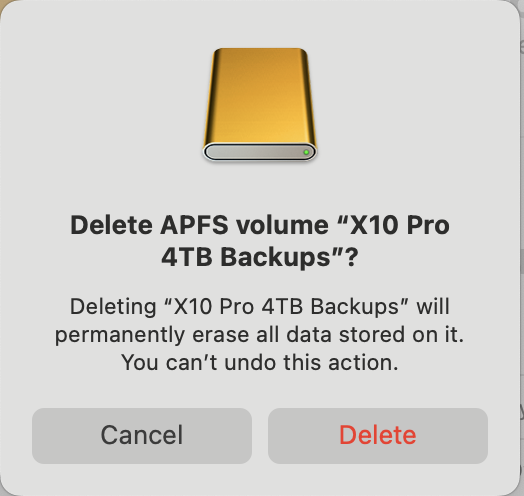
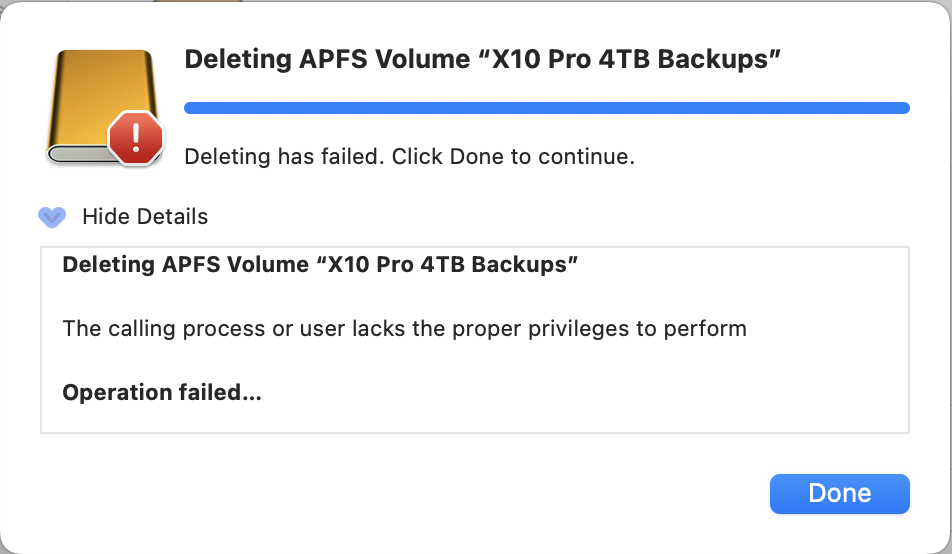
(I'm the owner, and my userID has Admin privileges - so what privileges are we talking about??)


Tried to eject it:
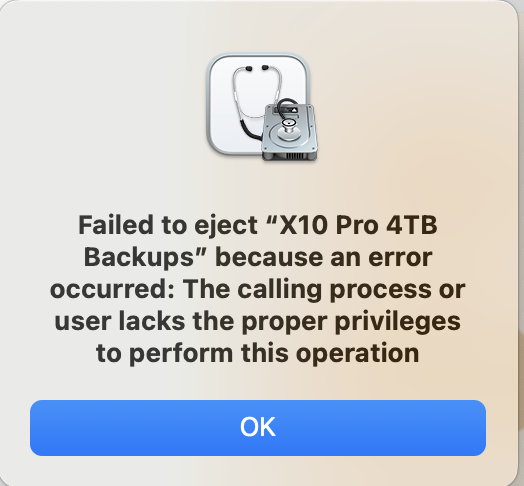

Trying to erase again:

Now it's not even trying to erase (started before but failed before with "internal error" -69623), it's claiming I lack the proper privileges - but I'm an Admin, what other privileges do I need??


If anyone has gotten to the bottom of this, I'd sure like to hear about it! In the meantime, I've given up on using the X10 Pro 4TB SSD as a TM backup drive - but I feel like I'm asking for trouble using the X10 Pro 2TB SSD as a photos drive, even though it's working fine so far (and I do have it backed up locally, besides having the entire photo library in iCloud).


I'm contacting Crucial (Micron) next, but I wanted to share my story here - either there's flaky 4TB SSDs being sold, OR Sequoia doesn't work with them well, or some combination of those - not sure about the smaller X10 Pros (1TB and 2TB).


Dec 2, 2024 11:01 AM in response to pwnder

I've researched the issue further. Apparently I can still delete the partition from Disk Utility and make a new one, even though the first aid and format fail. After making a new partition, the drive seems to work properly and I even tried copying 2TB of files on the drive and it works. But as soon as I eject the drive and reattach it, it becames unmountable again, so it probably corrupts on that point. Could this be some kind of compatibility problem with Sequoia or Apple Silicon and USB3.2 gen2x2 drives? Or some kind file system bug with apfs? My other older gen USB-C SSD's have no problems.

Jan 21, 2025 4:08 PM in response to pwnder

Crucial is the only SSD that ever failed on me. It was a bare 4 TB SSD for use as a Time Machine drive with a SATA to USB A adaptor.


I've been using OWC (MacSales.com) SSDs for several years, 9 bare 1T SSDs in OWC drive docs and SATA to USB A and C adaptors (from Amazon) without an issue.


If you can return the two drives for a refund I suggest you contact OWC Customer Support to see what they recommend for your particular Mac, workflow and budget.


Just some food for thought.


Mar 1, 2025 12:01 PM in response to wrglfst

Meanwhile Crucial sent me another X10, and this time it worked. Actually it has been working for a few months now. Flawlessly. I have no idea what the original problem was and it is a bit scary to think that an X10 would die so easily, but everything is OK now. I recommend contacting crucial support if such issues arise, they are helpful and in the end solved the problem in my case. By sending a working SSD after all.

Jan 9, 2025 7:53 AM in response to wrglfst

I have the exact same problem with a Mac Studio M2 and X10. Had no trouble with it for a few months until I updated to Sequoia. It is also happening with other external HD (Lacie RuggeD) I have contacted Mac Support and done a re installation of the OS but it didn't help.

If anyone finds a workaround I would love to hear about it.


Mar 15, 2025 11:02 AM in response to pwnder

I have a similar problem. I bought a Crucial X10 Pro in January, formatted it with AFPS and stored my new FCPX video Data on it. Lots of stuff, Fotos, video Shorts etc. plus the FCPX Media Library. Finally, I converted my work into a mov video. In mid February I tried to mount the SSD to my Mac Studio M1 again, which failed. I ended up using Disk utility to repair the volume. It could be seen in Disk Utility but only in a shadow mode. Then I tried to mount the SSD to my iPhone 15 Pro Max, and it worked. All the data could be seen. Smaller data could even be copied to the phone - the fcpx-library however was too large to copy. I tried to mount the SSD with an Intel MacBook Pro, but without success. Fact is, I can't even reformate the SSD (and lose the data), as none of my computers accepts the drive. Any proposals or workarounds?


Apr 14, 2025 8:39 AM in response to wrglfst

I had the same issue almost a year ago. After a month they agreed to send me a new one and I returned the old. All was fine until a few days ago, when as I was in the process of trying to retrieve vital files deleted in error, the new drive failed in the same way as the first one. Hopefully they'll be helpful, but now that drive has all that deleted info on it and I don't think I can trust another of these drives.

This thread has been closed by the system or the community team. You may vote for any posts you find helpful, or search the Community for additional answers.

What causes Crucial X10 Pro SSDs to fail on Mac Studio?

Welcome to Apple Support Community
A forum where Apple customers help each other with their products. Get started with your Apple Account.