t3w wrote:
having to deselect a choice is ridiculous. I clicked exactly once; that should suffice.
The only way you'd have gotten to the place where you had to deselect Tahoe was if you clicked the little (i) next to the update button. So if you 'clicked exactly once' as you state, you'd have clicked on the Upgrade Now button next to macOS 26, or on the Update Now button next to the offered macOS 15.x update. Since you are now running Tahoe, I have a strong suspicion about which button you clicked.
Bug is the way these options are phrased if they don't do what is explicitly stated.
It does exactly what's stated. Click on the button by Tahoe you get Tahoe, click on the Other Updates button where a Sequoia update is listed, you get the Sequoia update.
Am not 100% sure what option 2 was, but am sure of 1 and 3 as well as which of those I chose. It looked like the the 3 choice in the final Update screen you included, however, there were no checkboxes, no other text, and no buttons for tonight vs now.
Wonder if the information hadn't fully loaded to my computer before made a choice?
Maybe, and I get the 'who reads those license agreements anyway' but even after that exactly one click you'd have had to agree to the license for macOS and that would state Tahoe or Sequoia.
For example, when I click the Update Now button next to Other Updates on my Mac still running 15.6.1, the next thing I see is this:
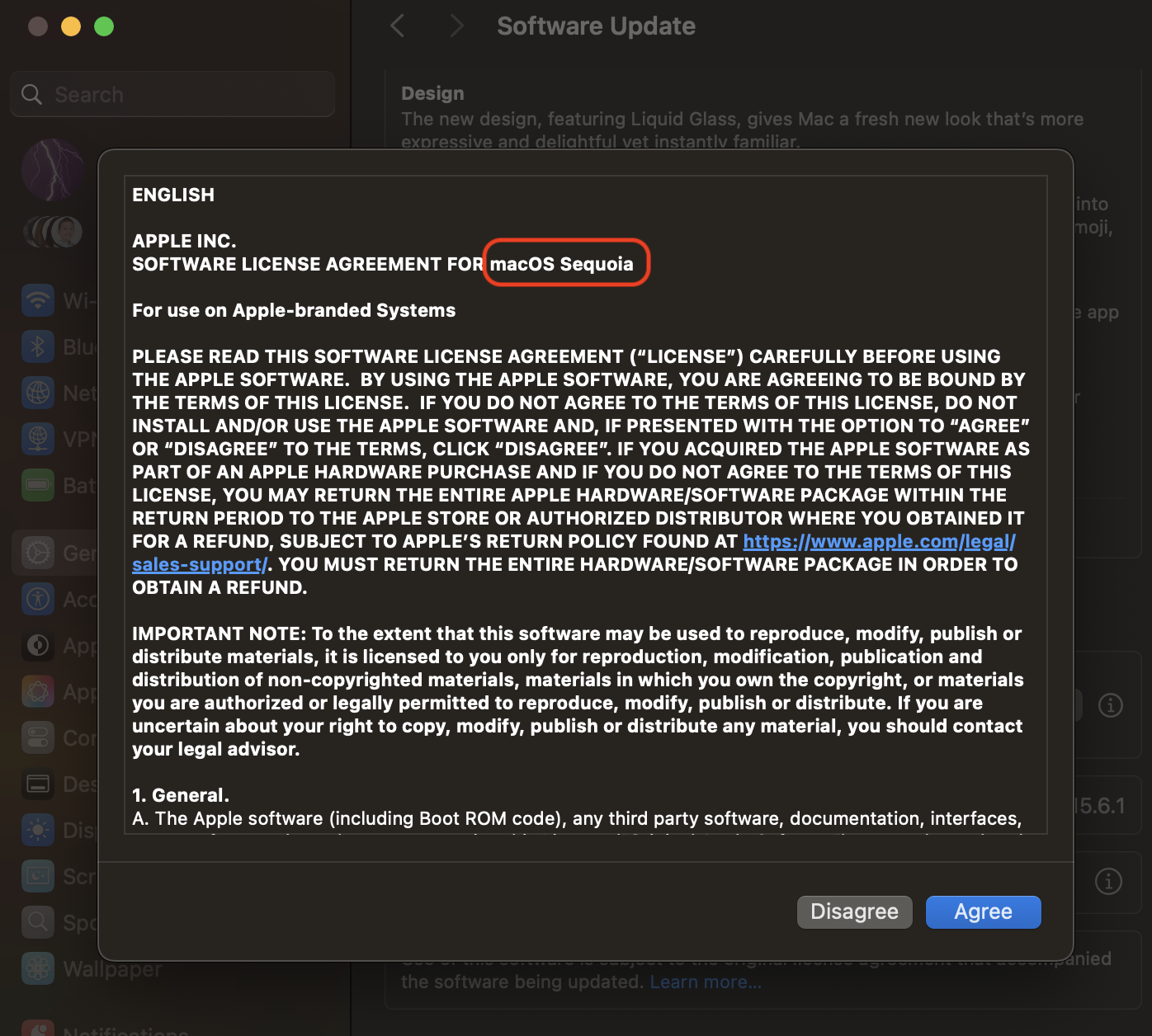
It's delivering the Sequoia update as selected, and since I don't want to reboot right now, I just clicked Disagree and I'm back to the initial update choices.
Oh well, water under the bridge for you at this point.