Can't customise folders in Tahoe

I have just installed Tahoe and am trying to change the look of a Folder. However, the option to Customise Folder does not appear when I Ctrl click or click on the 3 buttons. Any idea why not?

MacBook Pro 16″, macOS 26.0

Posted on Oct 14, 2025 2:20 AM

Reply
Question marked as Top-ranking reply

Posted on Oct 14, 2025 9:05 AM

harveysuzy wrote:
...click on the 3 buttons

Can you say more about this? Do you mean the (•••) symbol that usually accesses more options, and if so, where are you seeing that button that you are hoping will lead to Customize Folder?


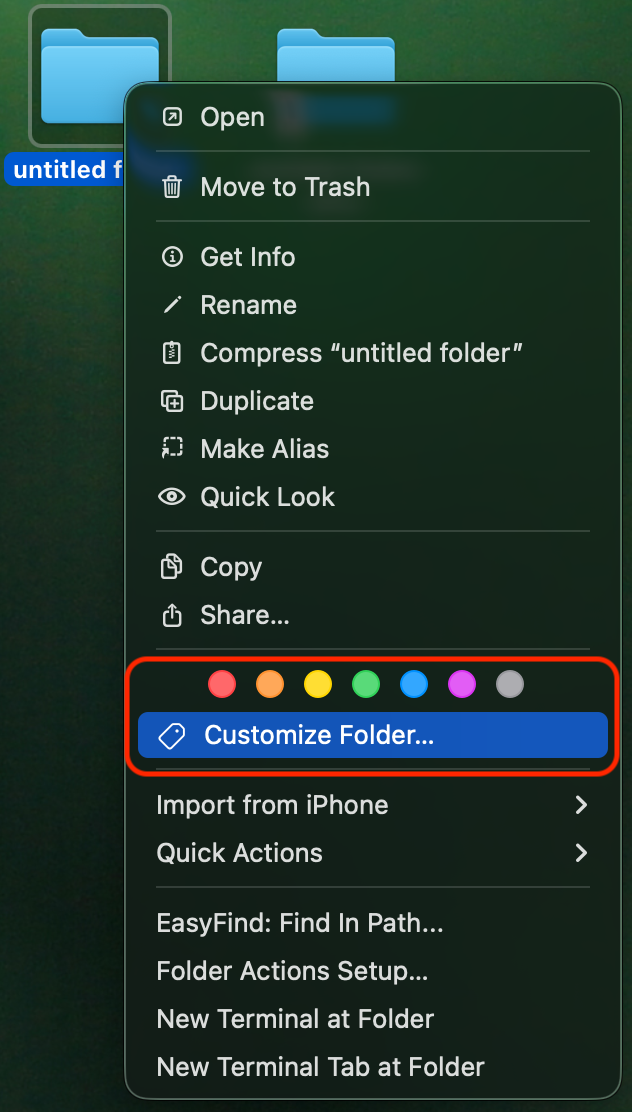
Like others, I do see the Customize Folder option with a secondary click (control-click, two finger click) on a folder on Tahoe, right below the row of Tag colors:


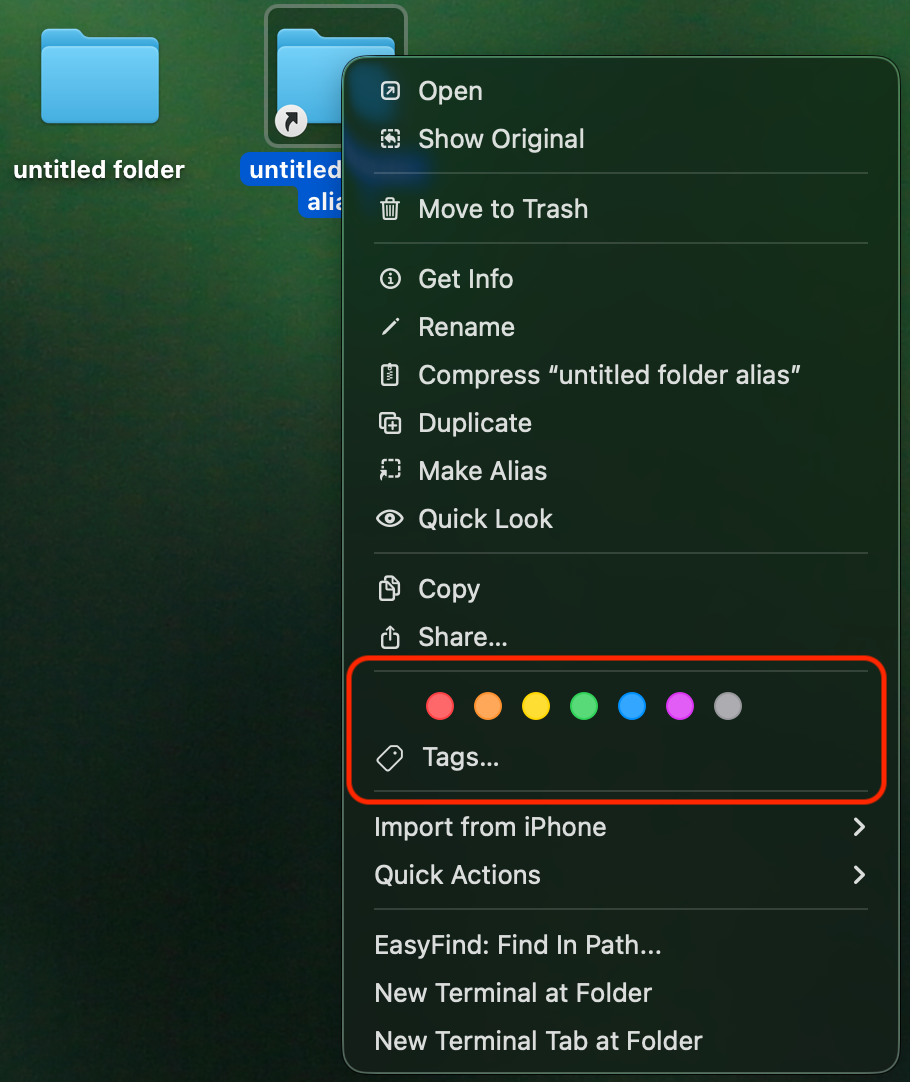
Note that you can only Customize actual folders, folder aliases cannot be customized:


Also note that certain folders cannot be customized, like the ones at the top level of your internal drive (Library, Uses) and some app-created folders like the OneDrive folder.


19 replies

This thread has been closed by the system or the community team. You may vote for any posts you find helpful, or search the Community for additional answers.

Can't customise folders in Tahoe

Welcome to Apple Support Community
A forum where Apple customers help each other with their products. Get started with your Apple Account.
