"Appearance of display is abnormal, including black or dark gray backgrounds and frames:"
-------
Troubleshooting Fingerprint Reader:
Q1. "[...]Lots of problems suddenly. tonight they are saying my user name is unauthorized, same fingerprint i always used for many years, fingers are clean. Many other problems, not just login.[...]"
A1. Reset the SMC and your NVRAM:
(Applies to Intel-Based Macs Only): Sometimes when changes are made to the system(i.e. Updates), system configurations (i.e. for Power) become manipulated, technically. So, reset the SMC and NVRAM. Try performing each thrice. It may take sometime, being certain you have the time to perform these resets. See Here: Image of What to Press.
How to Reset It:
- Go Here: How to reset the SMC of your Mac - Apple Support
- Proceed from there as shown
Troubleshooting Monitor Color:
Q2. . [...]The problem i want to fix is all the black backgrounds on the display. My Activity Monitor is all back, not just background, but text is white. Has anyone ever heard of this? Most windows appear normal in the foreground but backgrounds/frames are abnormally black or gray."
A2. Troubleshooting Dark Screen:
A. Brighten the Screen:
- Press: F2
- [Hold Down: fn + Press: F2]
B. Boot Mac in Safe Mode:
Go Here: Start Up your Mac in Safe Mode - Apple Support
C. Black Display with White Text:
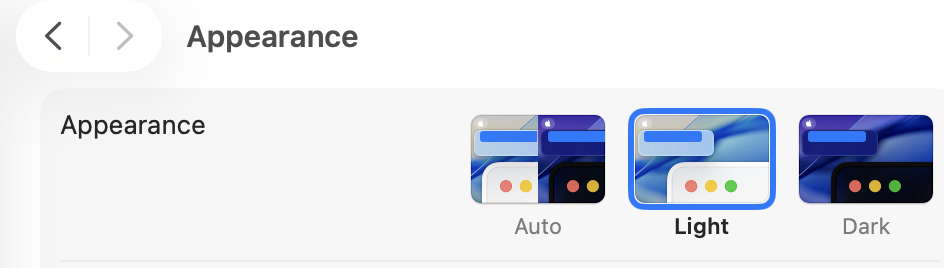
Can you provide a photo? Seems you have Dark Mode on, perhaps turning it off, intermittently.
- Click: Apple menu
- Select: Settings
- Click: Appearance
- Select: Light (located in the middle)
Screenshot: