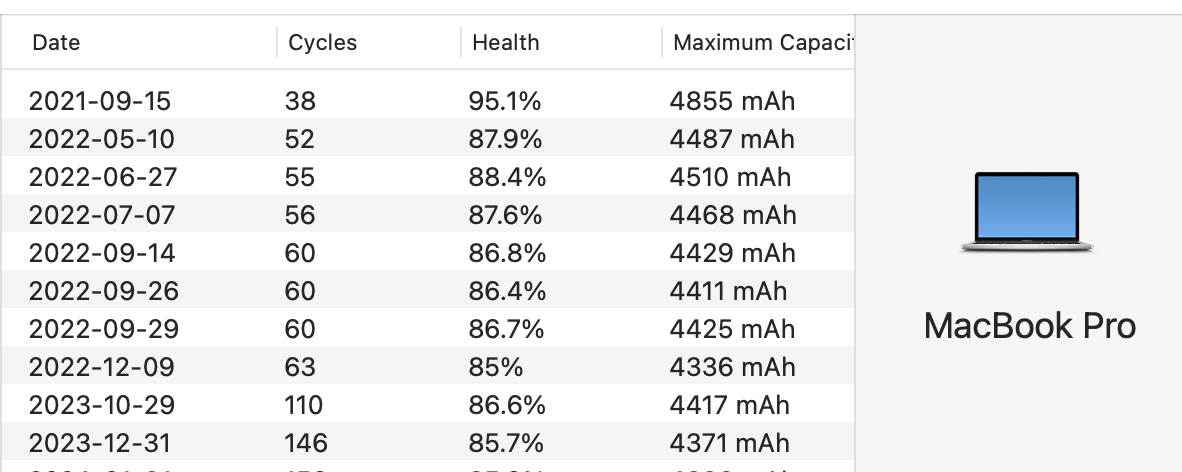
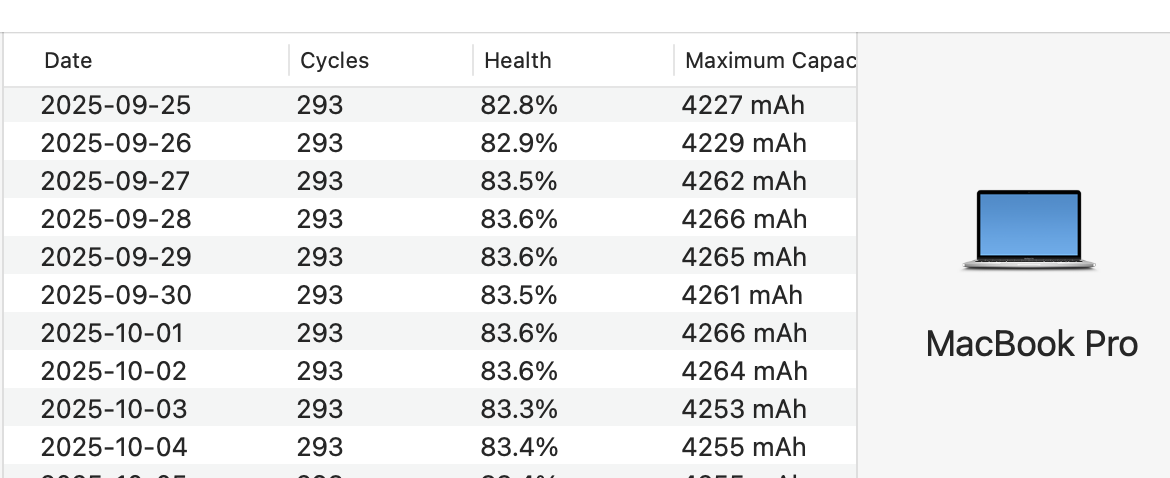
Ignore the battery health information until the battery is no longer performing to your expectations. Until recently, Apple never showed users the "Maximum Capacity" value of their batteries. I have been monitoring the battery values for many years now & quickly learned the Apple Lithium Batteries have their "Maximum Capacity" fluctuates up & down all the time (even with a brand new battery). A new & healthy battery can have this value deviate by +/- 5% very easily if closely monitored, but macOS doesn't update this value all that often.
People who have used Coconut Battery have learned when reviewing the Coconut Battery app's battery history over time that the "Maximum Capacity" and Full Charge Capacity (FCC) values fluctuate up & down. FCC is just a different way of reporting the battery capacity (it is generally the information the battery provides to the OS & the OS converts it into a value which makes sense to users). Unless that 7% drop was instantaneous in one moment, that drop is not enough for me to even consider a battery to be bad (it is close, but not close enough) much less gradual drop to 7%.
Unless you just want to learn how your battery works & behaves over time, it is best to just ignore the battery information completely until you have an actual problem which affects how you use the laptop. If you want to observe the battery information.....fine, but just watch & learn how it behaves.
Plus I think since late 2024 I think Apple changed what they consider a worn out battery since both macOS & the Apple Diagnostics no longer report a battery problem until the battery's "Maximum Capacity" is below 75% (I'm not even sure of the exact percentage since I haven't had a battery that can consistently remain below that point long enough to confirm).
Take a look at the following two screenshots of Coconut Battery's history for my MBPro M1 2020 model (IIRC, the laptop was purchased around Nov/Dec 2020):