Hello Jordan9797,
Let's use the steps below to reset your Beats Studio Buds:
1. Place both earbuds in the charging case. Leave the case open.
2. Press and hold the system button on the case for 15 seconds or until the LED indicator light flashes red and white.
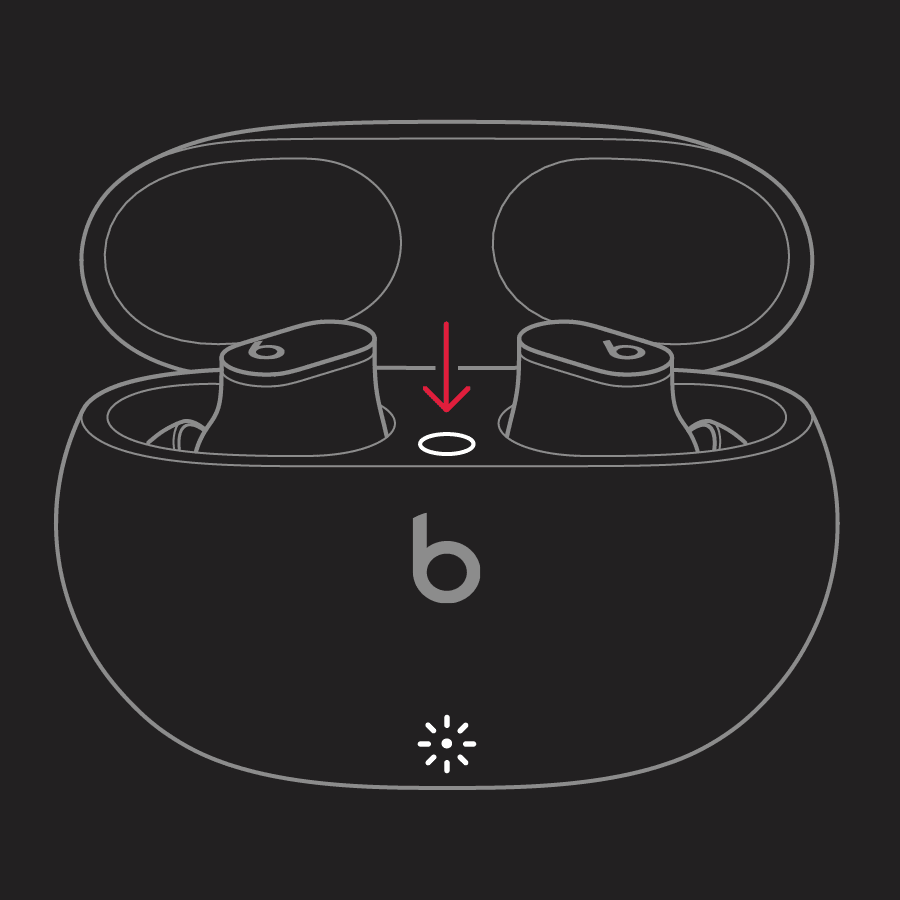
3. Release the system button.
You can also find those steps in this resource: Reset your Beats Studio Buds - Apple Support A reset can sometimes help address sound issues.
Should that still persist, have you experienced this behavior while at multiple locations?
Have you had the opportunity to test your Beats while they are paired with another device?
Let us know, and we'll keep moving forward from there.


