Adding a Vertical Reference Line when you already have 2 Axis Y1 and Y2 Charts

Hi, I was reading this: Adding a reference vertical line - Apple Community


But I am unsure how to add a line if I am already using Y2 in my existing table?


The idea was to use a value from my blue top table that is the mid x axis point on the upper blue chart and then use that reference value to draw a dotted line on the lower green chart?


Cheers!


[Edited by Moderator]


MacBook Pro 16″

Posted on Jul 10, 2025 8:31 AM

Reply
Question marked as Top-ranking reply

Posted on Jul 10, 2025 11:09 AM

Numbers does let you add reference lines to charts. The problem is that you have to specify a direct value - the reference line value cannot be a cell reference or other formula (maybe this is worth a note on https://apple.com/feedback/numbers.html asking for dynamic reference lines), and it only works for certain chart styles.


To add a reference line, select your chart and go Inspector -> Axis -> Add Reference Line -> Custom


And enter the value.


An alternative method would be to overlay a second chart.


In this example, I took data from my (dummy) table and added a 'Reference' column:
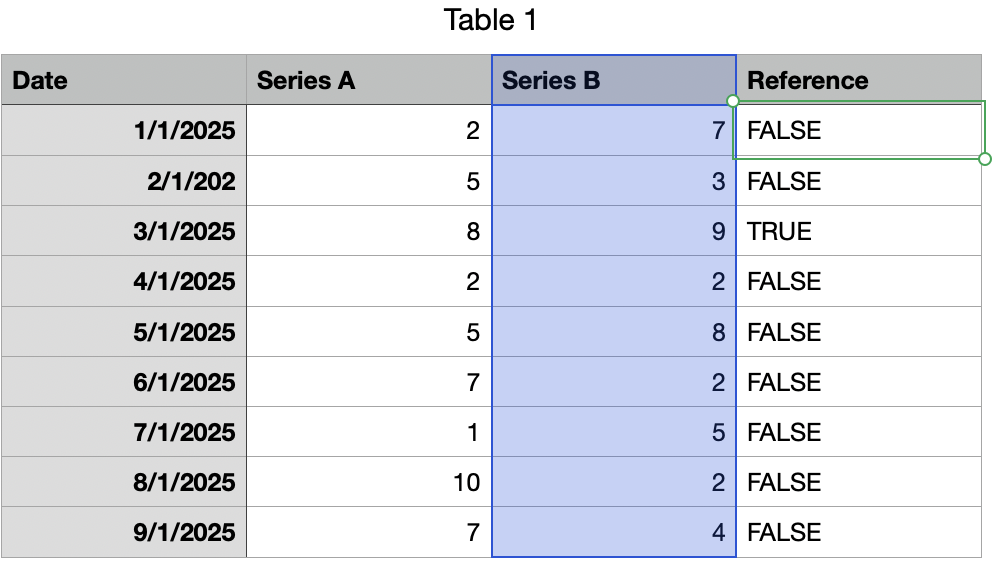


The 'Reference' column can actually be anything, but I set a formula that sets TRUE if the Series B value is MAX(B):


@C=MAX(C)


But this can be any formula, or a set of checkboxes.. anything you like.


I then create one chart off the Series A and Series B columns:


Then create another chart using the Reference column only:


Initially, it's not helpful but with a little formatting you can:


Turn off Y Axis Labels (Inspector -> Axis -> Value -> Value Labels -> None

Turn off X Axis Labels (Inspector -> Axis -> Category -> Value Labels -> None


Then select the sole column and choose Inspector -> Series -> Error Bars -> Negative Only -> Percentage -> 100%:


Then hide the blue bar via Inspector -> Style -> Fill -> No Fill


Finally, select the Error bar and choose Inspector -> Error Bar and set the Bar Style to dashed:


Now what you have is a chart that shows a single dashed line for whatever row in the Reference column is TRUE (or checked:


Boring as anything, but you can now overlay this on top of your other chart and get what you're looking for:


Hope that helps.

4 replies
Question marked as Top-ranking reply

Jul 10, 2025 11:09 AM in response to Bardonicloud

Numbers does let you add reference lines to charts. The problem is that you have to specify a direct value - the reference line value cannot be a cell reference or other formula (maybe this is worth a note on https://apple.com/feedback/numbers.html asking for dynamic reference lines), and it only works for certain chart styles.


To add a reference line, select your chart and go Inspector -> Axis -> Add Reference Line -> Custom


And enter the value.


An alternative method would be to overlay a second chart.


In this example, I took data from my (dummy) table and added a 'Reference' column:


The 'Reference' column can actually be anything, but I set a formula that sets TRUE if the Series B value is MAX(B):


@C=MAX(C)


But this can be any formula, or a set of checkboxes.. anything you like.


I then create one chart off the Series A and Series B columns:
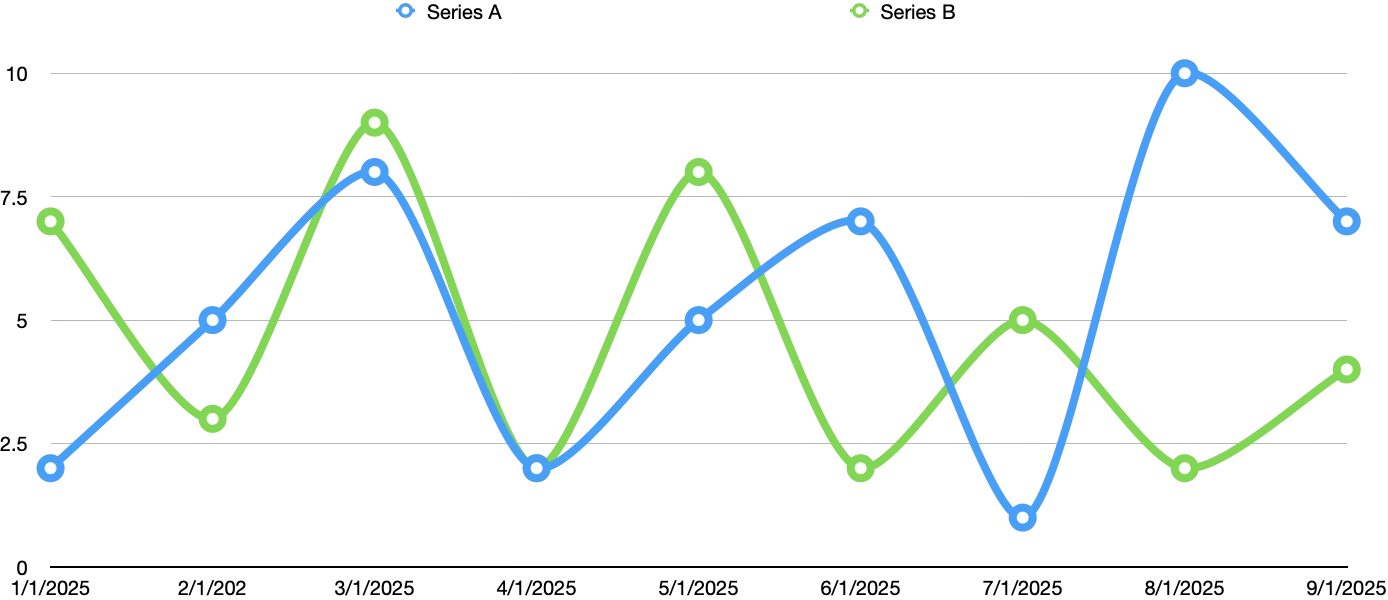


Then create another chart using the Reference column only:
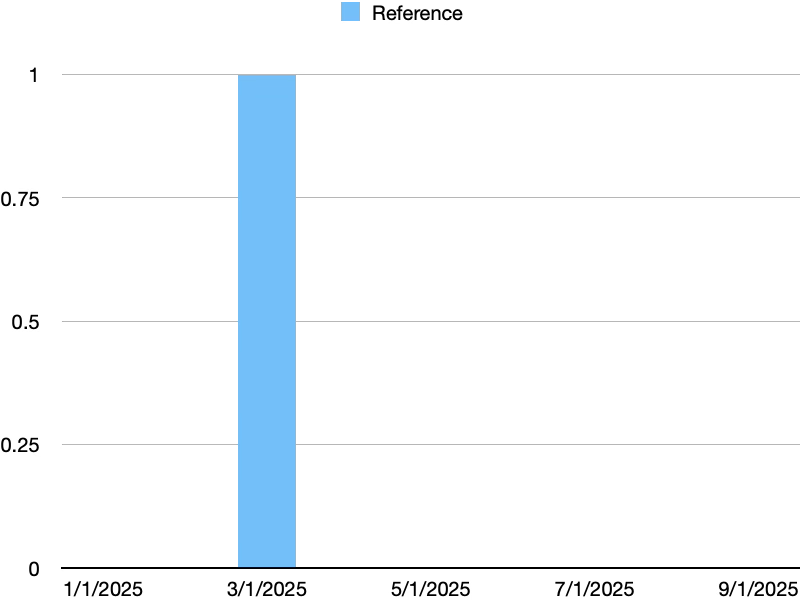


Initially, it's not helpful but with a little formatting you can:


Turn off Y Axis Labels (Inspector -> Axis -> Value -> Value Labels -> None

Turn off X Axis Labels (Inspector -> Axis -> Category -> Value Labels -> None


Then select the sole column and choose Inspector -> Series -> Error Bars -> Negative Only -> Percentage -> 100%:
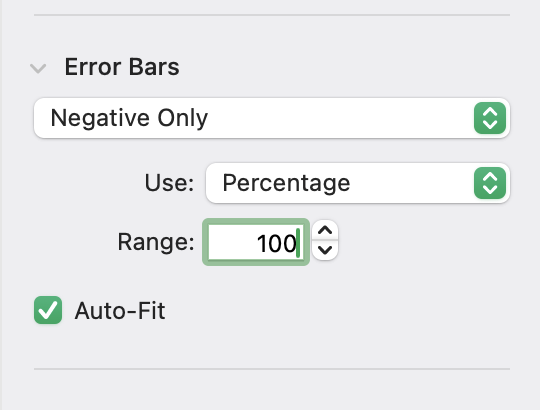


Then hide the blue bar via Inspector -> Style -> Fill -> No Fill


Finally, select the Error bar and choose Inspector -> Error Bar and set the Bar Style to dashed:


Now what you have is a chart that shows a single dashed line for whatever row in the Reference column is TRUE (or checked:
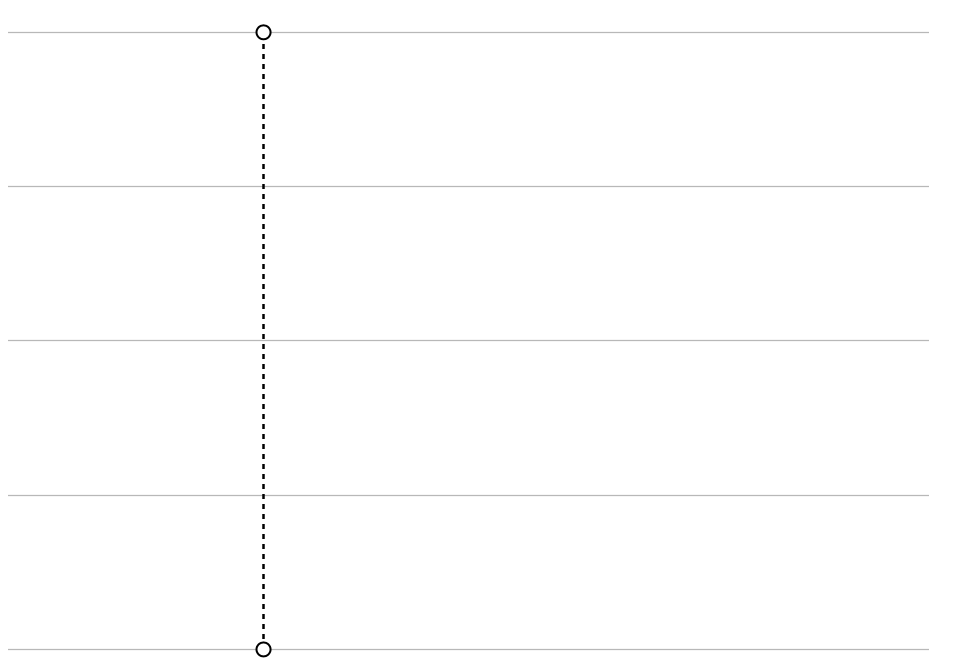


Boring as anything, but you can now overlay this on top of your other chart and get what you're looking for:
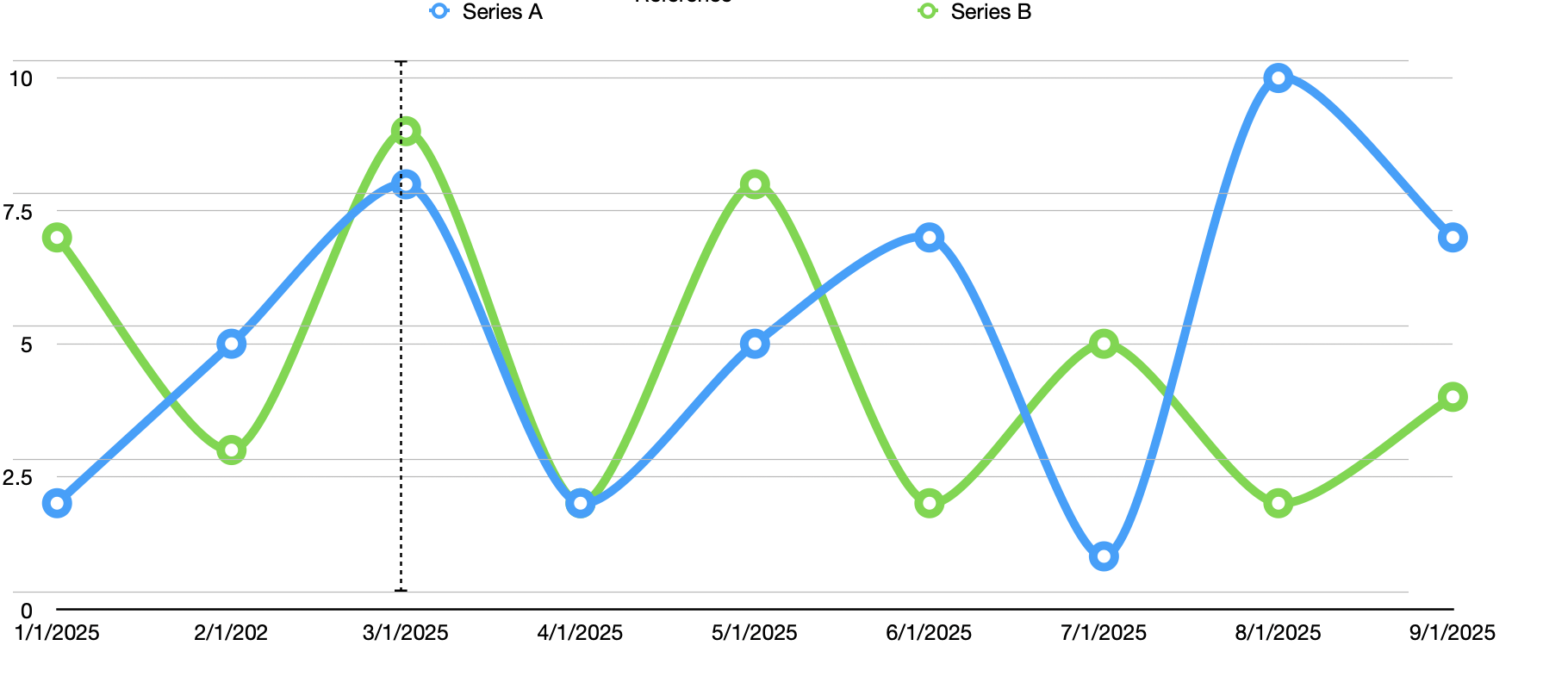


Hope that helps.

Jul 10, 2025 1:54 PM in response to Bardonicloud

> I can't find how to add the Ref. line you mentioned above with image ave, median, min and max?


Interesting - I hadn't noticed this before because I rarely use dual-Y axis charts, but it appears that Numbers doesn't offer Reference lines when using this chart type.


It does appear when using other chart types (notably single-Y axis line and bar charts, or scatter charts), but not on dual-Y axis charts. I can't explain why, other than it being ambiguous as to which axis the reference line applies to.


Maybe another one for the feedback form :)

Jul 10, 2025 12:35 PM in response to Camelot

Edit: After posting this, I realized you may not need the overlay chart at all.


Even though you're already using two Y axes - the reference line could just use one of those. You'd need to change the table data so that the row for the reference line matches the peak value of the chart, rather than a simple TRUE/FALSE. In this way it could be just another data series on the chart, formatted to show blank data and error bars for the reference line. Slightly simpler setup.

This thread has been closed by the system or the community team. You may vote for any posts you find helpful, or search the Community for additional answers.

Adding a Vertical Reference Line when you already have 2 Axis Y1 and Y2 Charts

Welcome to Apple Support Community
A forum where Apple customers help each other with their products. Get started with your Apple Account.
