There are several unexpected dependencies in Tahoe, and perhaps you are being affected by one of them. The Customize Folder option is associated with Tags in the UI. For the Customize Folder option to be enabled, you must have some Tags designated as favorites.
In Finder, go to Finder menu > Settings > Tags tab. If the Box at the bottom for favorites is empty, drag some of the tags down into that box. Then select a folder and check the contextual menu for the Customize Folder option.
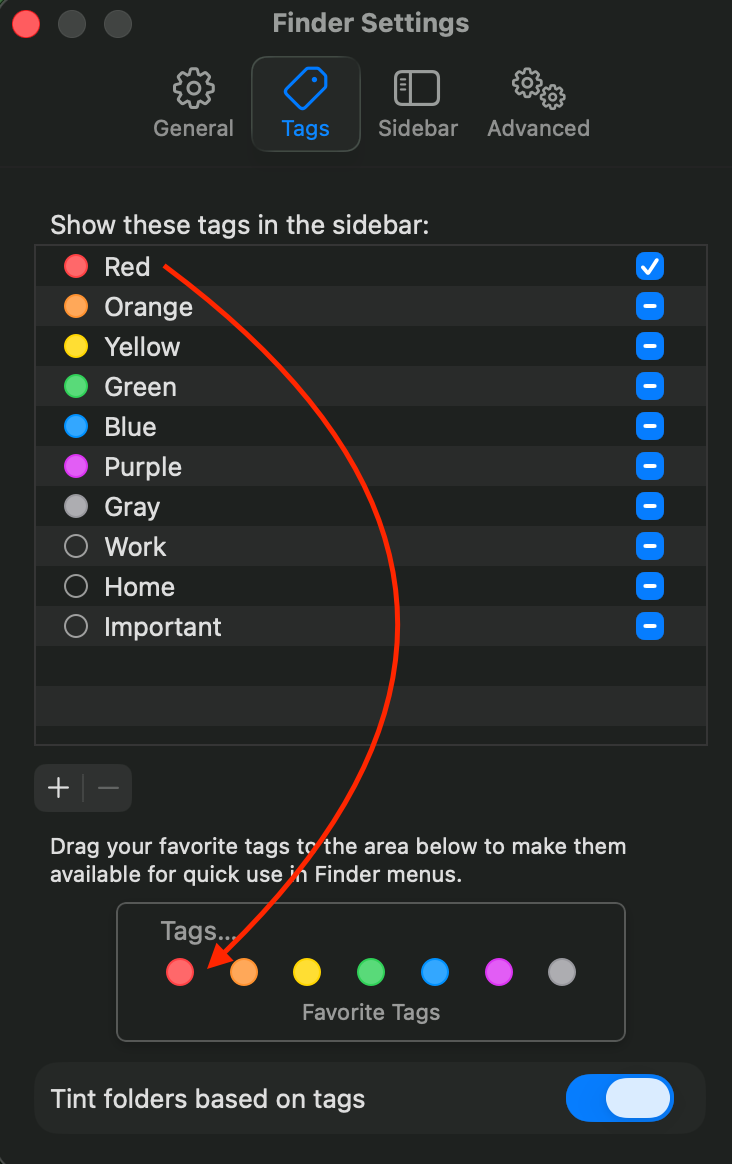
If you already had some favorite tags, or if the above doesn’t work, then post back.



