


Question marked as
User profile for user:
Ben_Z1
User level:
Community Specialist
Hi there Garrettpritchett,
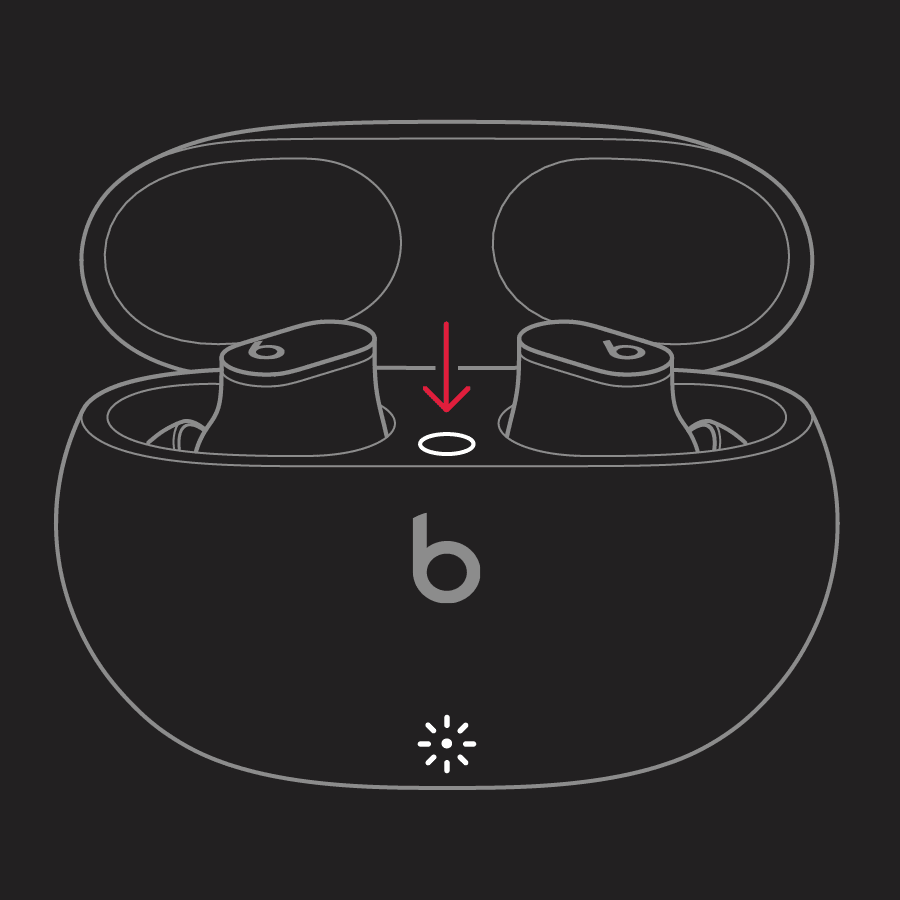
If you are having issues with the audio quality of your Beats, the first thing we would recommend is resetting them. This refreshes the firmware of the Beats and can resolve issues like this. These steps from Reset your Beats Studio Buds show how to do this:
1. Place both earbuds in the charging case. Leave the case open.
2. Press and hold the system button on the case for 15 seconds or until the LED indicator light flashes red and white.
3. Release the system button.
The LED indicator light will continue to flash white, which means that you can pair your Beats Studio Buds with your iPhone, Mac, Android device, or other device again.
If this continues after resetting the Beats, pair them with another device to see if this continues to occur. That will allow us to isolate whether the Beats or the device they are connected to are responsible for this behavior.
Take care!